
Introduction
A growing number of businesses have replaced their phone closet and video hardware with a single cloud login, and unified communications as a service is the category name behind that shift. It's easy to hear the term thrown around in a sales call without ever getting a straight answer about what's actually running behind the login screen.
This piece walks through what a unified communications as a service platform actually includes, how the technology works once a business turns it on, how it compares to the contact center category it's frequently confused with, and how large the market has grown heading into 2026.
What Unified Communications as a Service Actually Includes
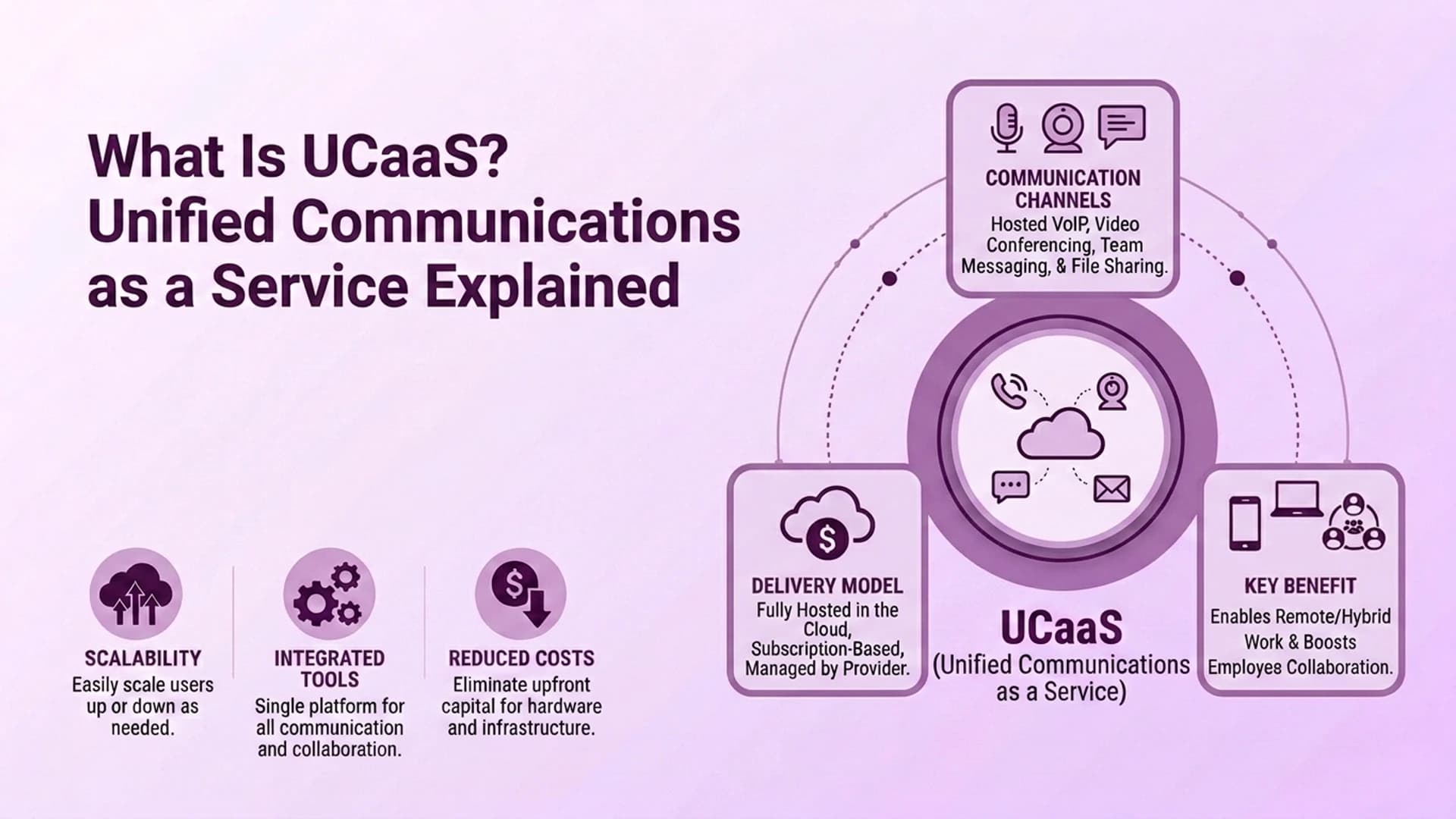
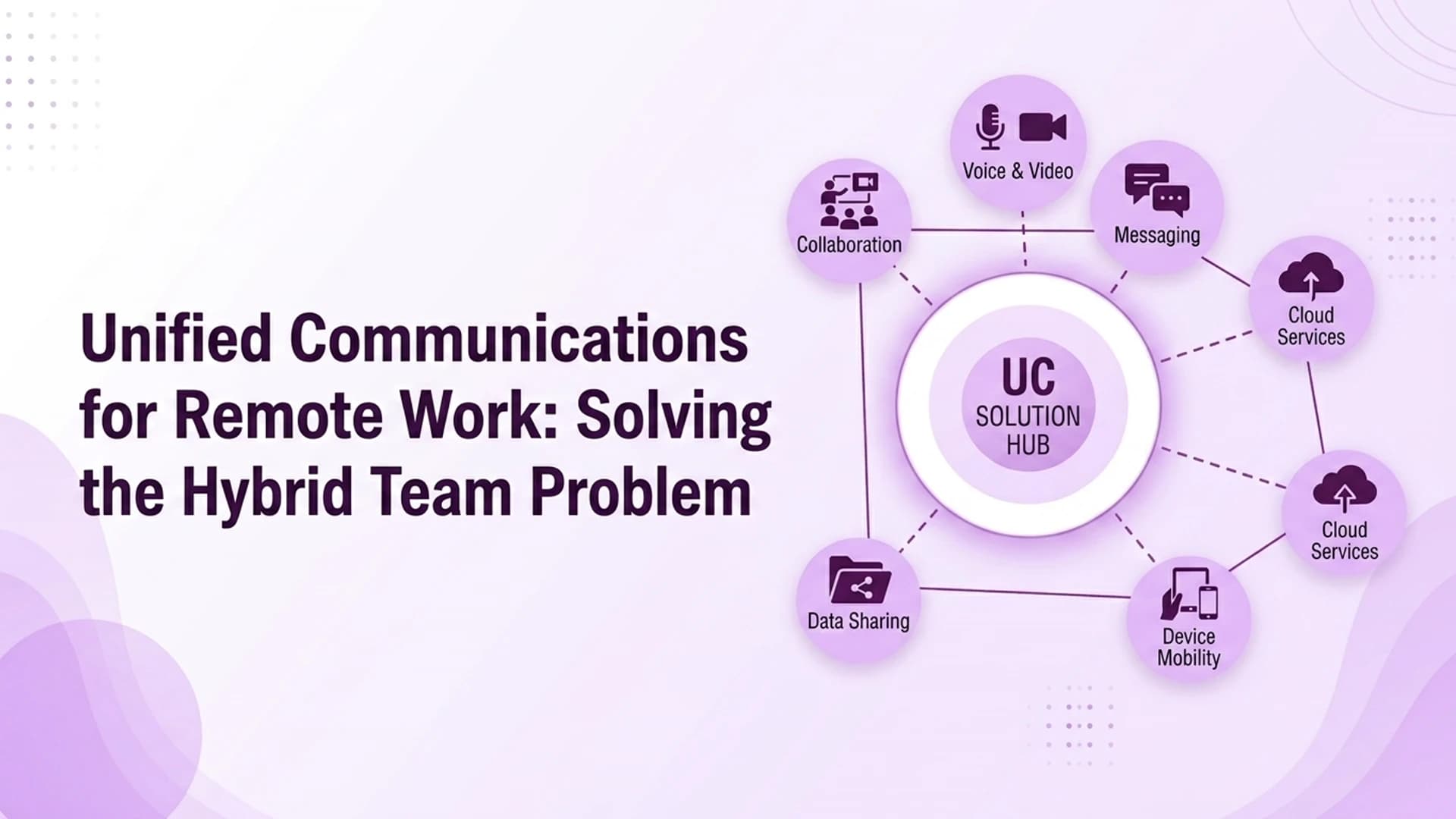
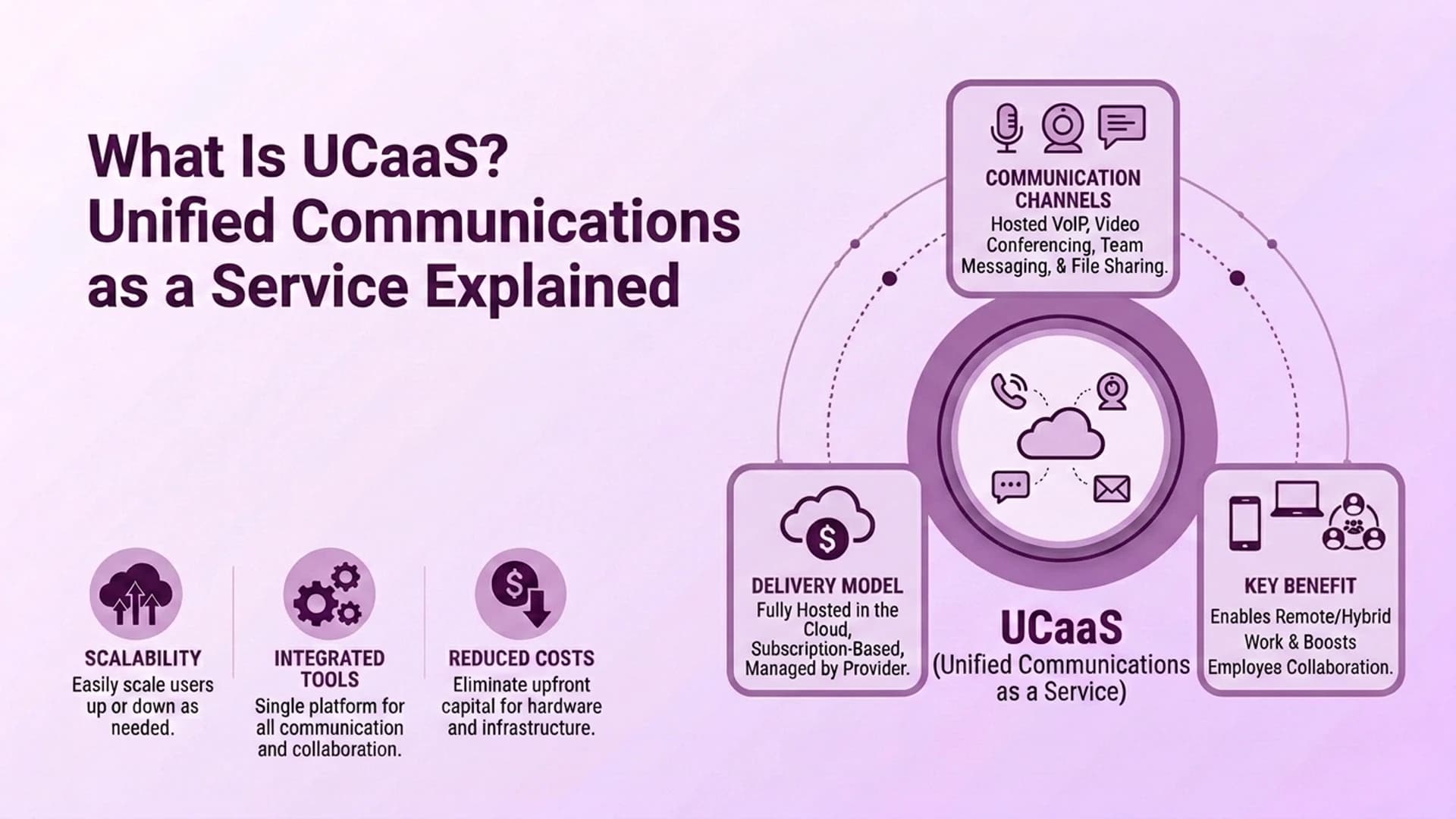
At its core, unified communications as a service bundles four capabilities that used to live in separate systems: business phone calling, video meetings, team messaging, and presence status showing who's currently available. Instead of a business owning a phone switch in one closet and a separate video conferencing box in a conference room, one vendor hosts all of it and sells access as a monthly subscription.
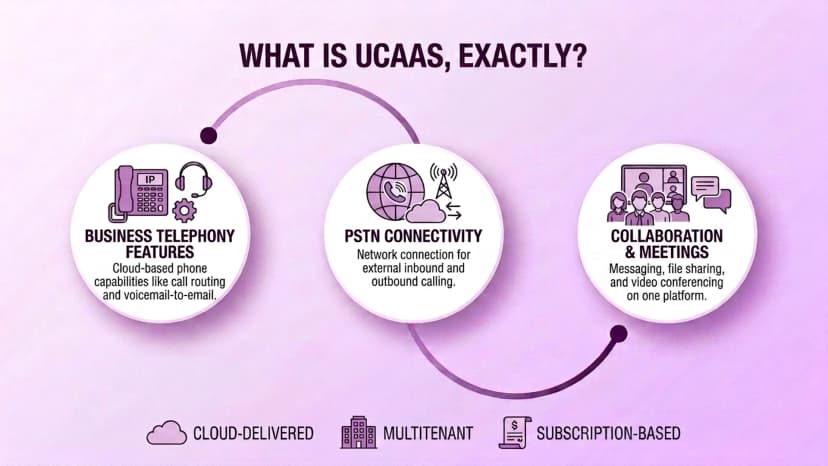
The "as a service" half of the name matters just as much as "unified communications" does. It signals that the vendor owns the infrastructure, handles the maintenance, and pushes updates on its own schedule, while the business simply pays for the number of users on the account each month.
A few core features show up on nearly every unified communications as a service platform, regardless of vendor:
- Business telephony — inbound and outbound calling tied to a business number rather than a personal line
- Video meetings — one-to-one and group video calls accessible from the same login as everything else
- Team messaging — persistent chat channels, direct messages, and file sharing
- Presence indicators — status showing whether a colleague is available, in a meeting, or offline
- Mobile and desktop apps — one application consolidating calling, chat, and video across every device an employee uses
How Unified Communications as a Service Works Behind the Scenes
Once a business signs up, the platform runs almost entirely through the vendor's cloud infrastructure rather than equipment installed on-site. A typical rollout follows a fairly consistent pattern regardless of vendor.
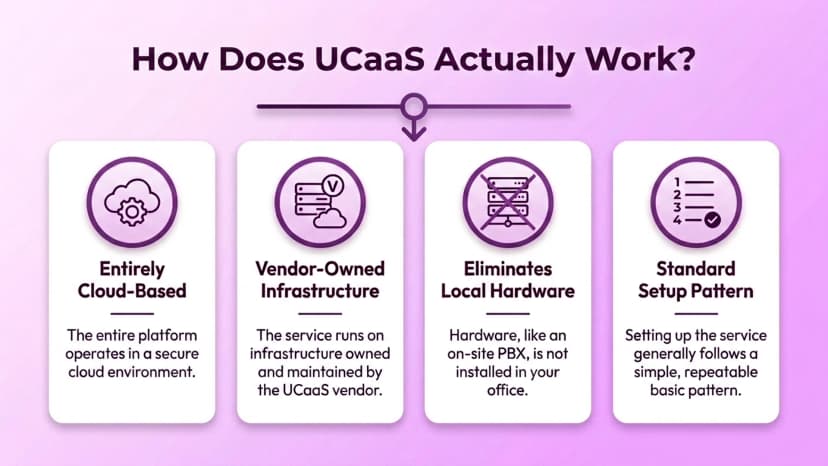
The provider issues phone numbers and user accounts, employees install a desktop or mobile app that consolidates calling, chat, and video into a single interface, and the vendor's servers handle call routing, video hosting, and message delivery in the background. None of that requires a business to run its own servers or manage its own Team Chat infrastructure separately.
Because the vendor owns the backend, scaling the platform up or down as headcount changes is usually a licensing adjustment rather than a hardware purchase, which is one of the more practical advantages over a traditional on-premises phone system.
The vendor also carries the burden of uptime, security patching, and feature releases going forward, work that would otherwise fall on an internal IT team maintaining its own phone switch and video hardware. That shift in responsibility is often the main reason growing businesses move away from on-premises systems in the first place, since it frees internal staff from routine maintenance work they weren't necessarily hired to do.
Unified Communications as a Service vs. Contact Center as a Service
The two categories get lumped together constantly, but they're built to solve different problems. Unified communications as a service is designed for internal collaboration, employees talking to each other, joining meetings, and messaging across teams. Contact center as a service is built for customer-facing volume, with queue management, omnichannel routing, and agent performance analytics baked into the product.
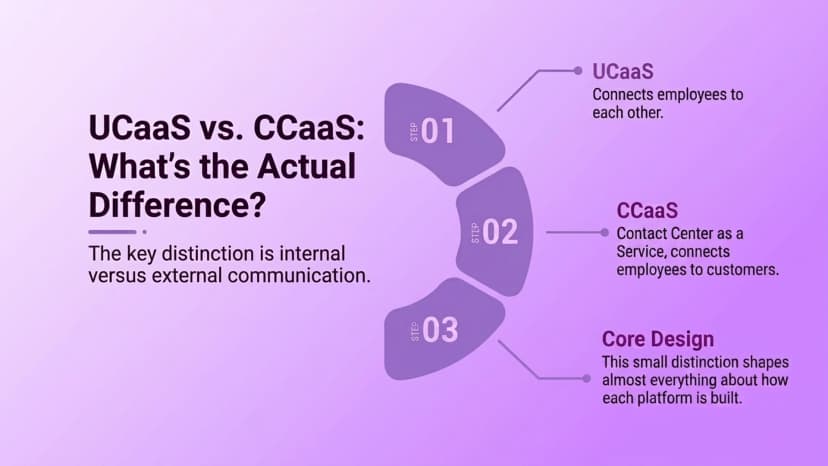
A platform built for internal collaboration generally isn't judged on how well it handles a hundred inbound customer calls an hour, and a platform built for customer service generally isn't judged on how well it replaces a company's internal chat tool. The two markets increasingly borrow features from each other, but the core design intent behind each one still shows up clearly once real call volume or real internal usage starts flowing through the platform.
Confusing the two during a purchase is the single most common mistake business buyers make, since a platform marketed loosely as "communications software" can lean heavily toward one category or the other without making that distinction obvious upfront.
The Size and Growth of the Global Market
The category has grown fast enough that it's now one of the larger segments inside enterprise cloud software spending. One widely cited estimate puts the global unified communications as a service market at roughly $70.6 billion in 2026, on pace to reach $221.14 billion by 2031, a compound annual growth rate of about 25.7%. Other analyst firms land closer to $100 billion for the same window, depending on exactly which revenue counts toward the category.
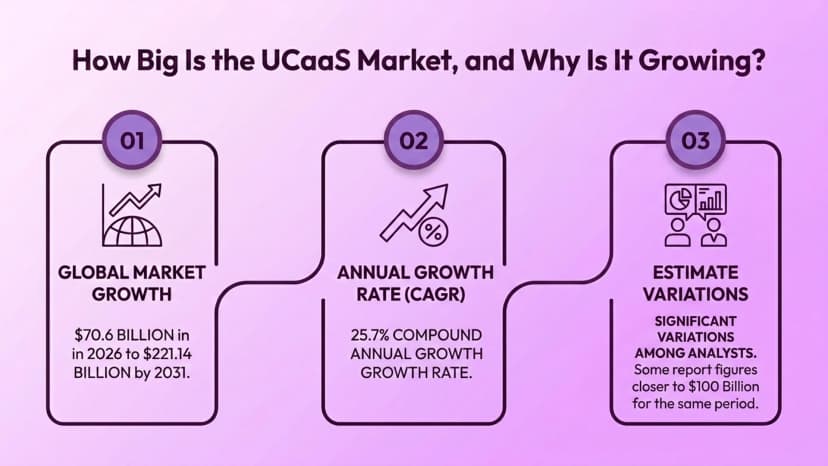
That $70.6 billion figure traces back to industry research tracking the market's size and growth trajectory on an annual basis.
Whichever number ends up closest to accurate, the growth drivers behind it are consistent across nearly every analyst report: businesses consolidating separate calling, messaging, and video tools into one subscription, continued hybrid work adoption, and AI features like meeting transcription and call summaries getting layered into existing platforms rather than sold as standalone add-ons.
Deployment Models Worth Knowing About
Not every unified communications as a service deployment looks identical. A few models show up repeatedly across vendors and business sizes:
- Multitenant cloud — infrastructure shared across many customers, typically the lowest-cost and fastest to deploy
- Single-tenant cloud — a dedicated instance for one business, often chosen for stricter compliance or customization needs
- Hybrid deployment — cloud UCaaS paired with existing on-premises equipment a business isn't ready to fully retire
Most small and mid-sized businesses land on multitenant cloud simply because it's the fastest to set up and the least expensive per seat, while larger enterprises with existing infrastructure investments more often lean toward hybrid arrangements during a longer transition period.
The right model usually comes down to how much control a business needs over its own environment versus how quickly it needs to get up and running. A company with strict data residency or compliance requirements may need the extra isolation single-tenant cloud provides, even at a higher per-seat cost, while a business without those constraints rarely gains much from paying the premium.
Who Actually Needs Unified Communications as a Service
Not every business gets equal value from it. Teams that are mostly coordinating internally, sharing files, running meetings, messaging across departments, tend to get the most out of a UCaaS platform on its own. Businesses built around high-volume customer-facing calling, sales outreach, or support queues typically need the routing and reporting features that live in the contact center category instead, since those aren't what UCaaS was designed to prioritize.
A useful way to check fit before committing budget is to look at where most calls and messages actually originate. If the majority of daily communication happens between employees, unified communications as a service is usually enough on its own. If a meaningful share of daily volume comes from customers calling in, that's a signal a business needs contact center capability either instead of, or alongside, a UCaaS subscription.
Where Ringflow Fits
Ringflow doesn't compete in the unified communications as a service category, and it's more useful to say that directly than to stretch the label. It's built as a Cloud Contact Center and AI Sales Platform, with named features like AI Sales Coaching and AI Call Optimization aimed squarely at customer-facing calling rather than internal team collaboration.
Businesses running both a growing internal team and a customer-facing sales or support operation often end up pairing a UCaaS tool for internal use with Ringflow's Omnichannel Contact Center for everything customer-facing, treating the two as complementary rather than expecting either one to cover both jobs.
Conclusion
Unified communications as a service has grown from a niche IT category into one of the faster-growing corners of enterprise software, and the reason is straightforward: it replaces several separate systems, phone hardware, video conferencing gear, an internal chat server, with one subscription a vendor maintains on a business's behalf. Understanding what it actually includes, how it differs from the contact center category, and which deployment model fits a given business is the difference between adopting the label correctly and just adopting the marketing around it.
Ready when you are
Handling the Customer-Facing Side of Communication?
See how Ringflow's Cloud Contact Center and AI Sales Platform handles customer-facing calling and sales engagement alongside whichever UCaaS platform your team chooses.
FAQ
Business phone calling, video meetings, team messaging, and presence status, all delivered through one cloud-hosted subscription that the vendor hosts and maintains.
The vendor's cloud infrastructure handles call routing, video hosting, and message delivery, while employees access everything through a single desktop or mobile app rather than separate on-premises systems.
UCaaS is built for internal, employee-to-employee communication. CCaaS is built for customer-facing call volume with routing, queues, and agent analytics. They're frequently paired together but solve different problems.
Estimates vary by research firm, but a widely cited figure puts the global market at around $70.6 billion in 2026, growing at roughly 25.7% annually toward $221.14 billion by 2031.
Multitenant cloud deployment is the most common choice for small and mid-sized businesses, since it's the fastest and least expensive to set up compared to single-tenant or hybrid models.
No. Ringflow is built as a Cloud Contact Center and AI Sales Platform for customer-facing calling and sales engagement, and typically runs alongside a UCaaS tool rather than replacing it.