

Introduction
Most businesses shopping for a "unified communications platform" are really weighing three decisions at once. Which deployment model fits their setup? Which features are truly integrated, and which are bolted together? And which vendor will still be worth using in three years? Mixing those three questions is how companies end up locked into a platform that works on paper but never fit the business.
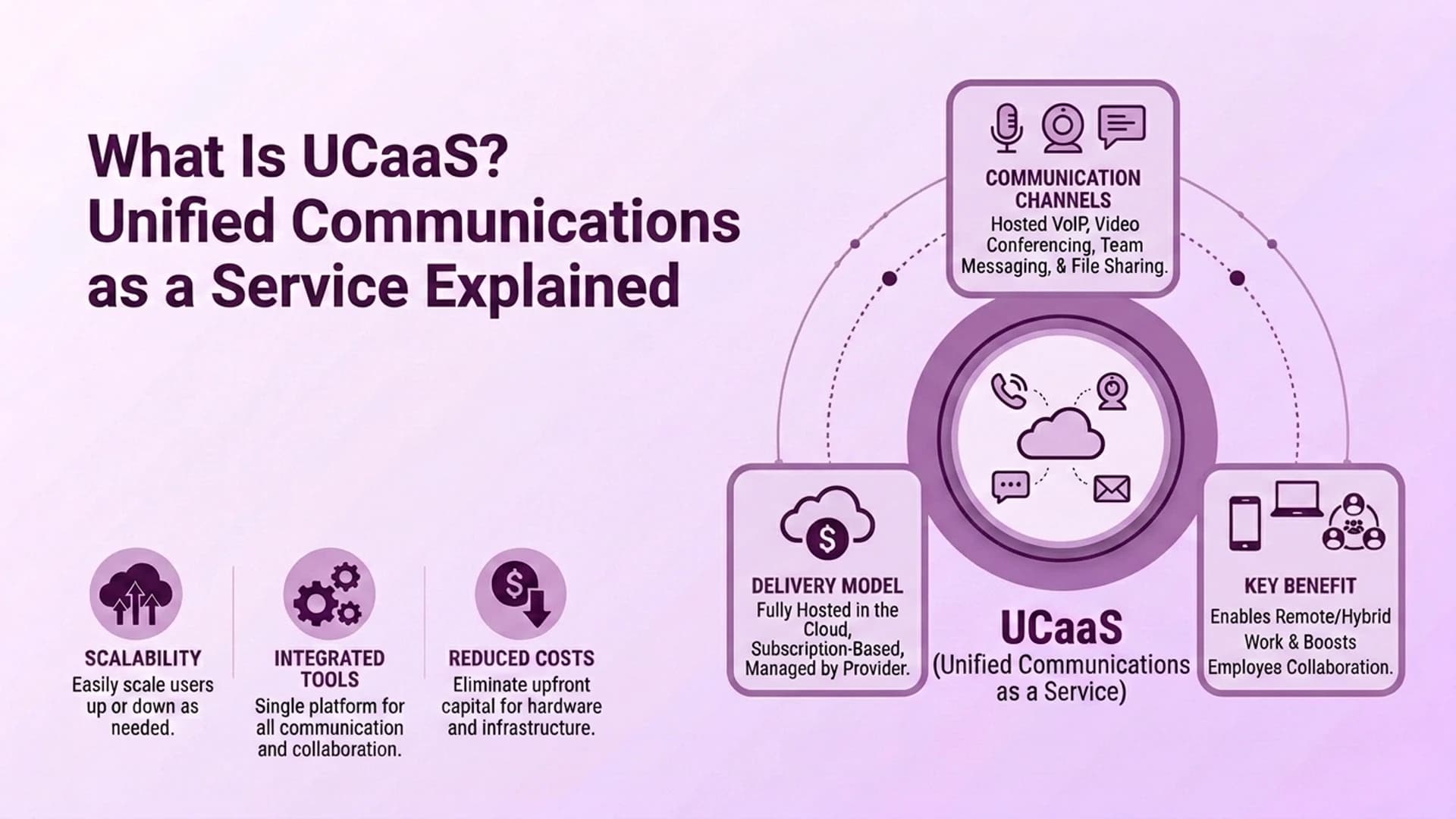
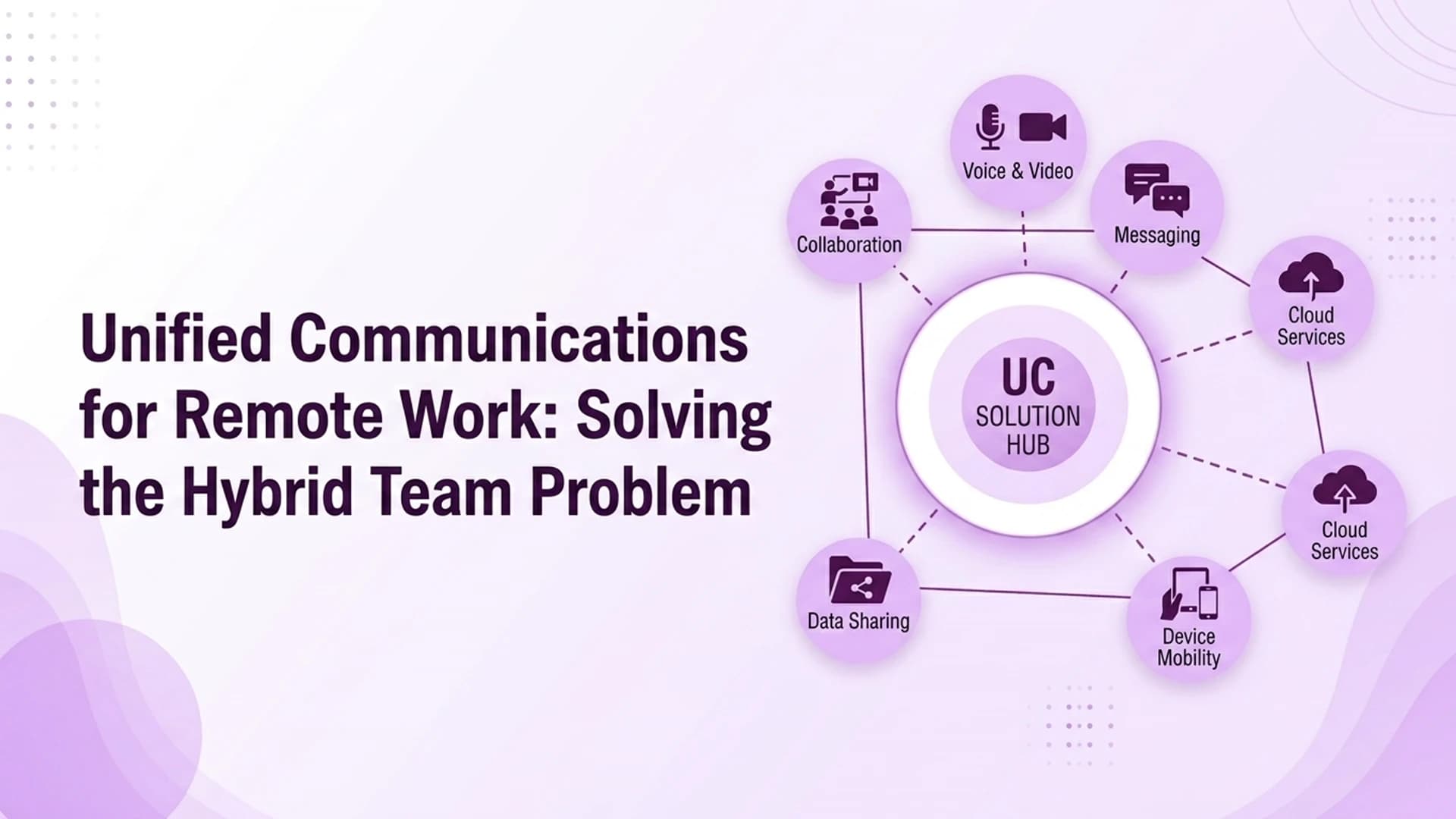
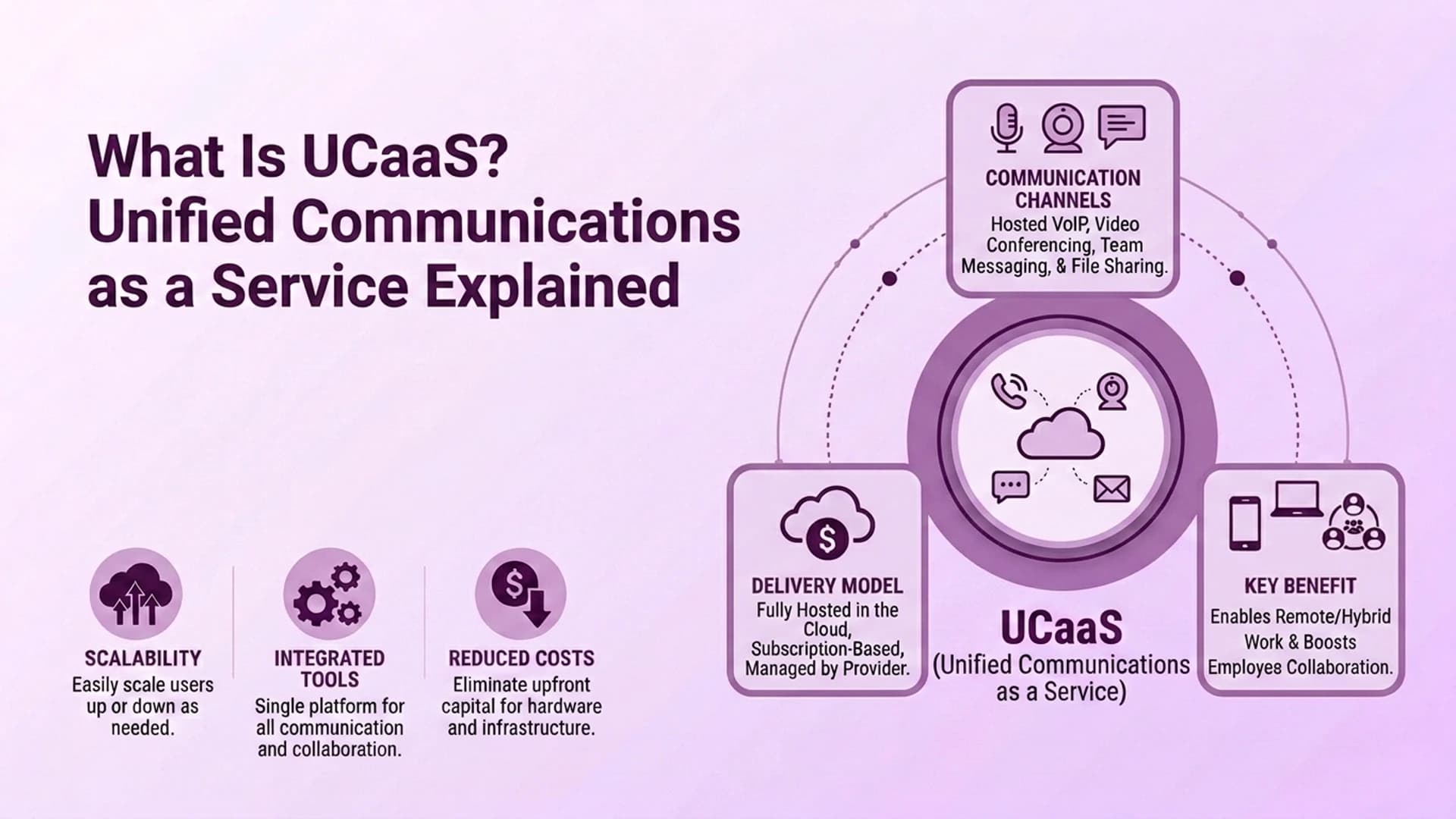
A unified communications platform is software that combines a company's core communication tools. Business telephony, messaging, and audio or video meetings all live in one integrated system, not a pile of separate apps. The word that matters most is "integrated." A genuine UC platform lets someone call, message, and meet from the same client, with shared history and presence. No switching between three logins.
This guide covers what separates a real UC platform from a bundle of point tools. It walks through the three deployment models, the core features to expect, and how to judge vendors beyond a feature checklist. It also covers what these platforms really cost, and where a CCaaS platform like Ringflow fits in.
What Actually Makes Something a "Unified Communications Platform"?
The word "unified" does real work in that phrase. It is also the part vendors most often cut short. A genuine UC platform combines three things in one client: telephony (voice calling, voicemail, call forwarding), messaging (one-on-one and group chat with saved history and full search), and meetings (audio and video conferencing). File sharing and tools like whiteboards often come alongside.
The test is simple. Can someone search a chat from six months ago, jump straight into a video call with the same group, and see who is available? Can they do all that without leaving the app or logging into another tool? If the answer involves three separate logins, it is a set of point tools wearing a unified label.
What Are the 3 Deployment Models, and How Do They Differ?
Every UC platform decision eventually comes down to one of three deployment models:
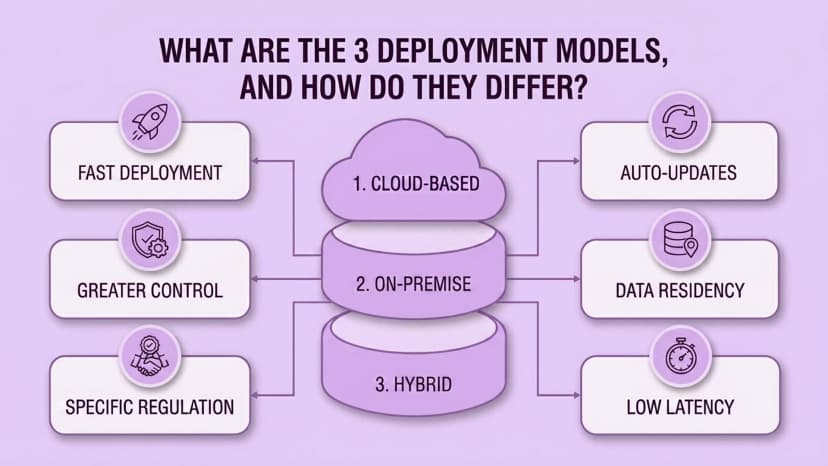
- 1Cloud-based — the provider hosts and manages the platform; deployment is fast, updates happen automatically, and scaling up or down doesn't require new hardware
- 2On-premise — the business owns and runs the infrastructure directly, trading faster deployment for greater control over equipment, network configuration, and where data physically resides
- 3Hybrid — cloud-hosted services paired with local gateways or session border controllers, usually adopted to meet a specific regulatory or latency requirement while still getting most of the cloud model's scalability
Hybrid deployments solve a real problem. But they add real complexity too. Someone has to manage both the cloud service and the local hardware. Troubleshooting a call quality issue now means checking two systems instead of one.
What Core Features Should Any Genuine UC Platform Include?
At minimum, a UC platform should include business telephony: calling, voicemail, call forwarding, and routing. It should offer messaging with saved history you can actually search, not just scroll. And it should support audio and video meetings for groups, not just one-on-one. Beyond that baseline, expect file sharing, screen sharing, and presence indicators showing who is available, busy, or away.
The most overlooked feature during evaluation is integration depth. Does the platform connect cleanly to the calendar, CRM, and helpdesk tools the business already runs? Or is it a separate island that employees must cross-check against everything else by hand?
How Should a Business Evaluate and Compare UC Platform Vendors?
Reliability is the first checkpoint. Enterprise-grade providers usually publish an uptime target in their service-level agreement. Look for "five nines" — 99.999% availability. That works out to roughly five minutes of downtime a year. Anything well below that deserves hard questions about what actually happens during an outage.
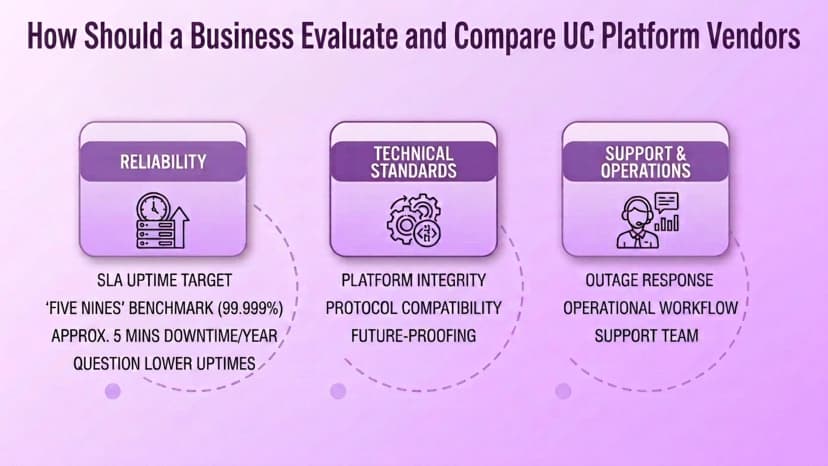
Beyond uptime, technical standards matter more than most feature comparisons. Does the platform follow SIP and WebRTC protocols? Does it publish REST APIs for custom integration? Does it stay compatible with any SBCs or PBX equipment the business is not ready to replace? Also weigh factors that never show up in a demo: financial stability, support quality, and whether the roadmap actually ships. A platform built for true Enterprise-scale reliability tends to show those tradeoffs upfront, not bury them in the contract.
ComputerWorld's UCaaS buyer's guide makes a similar point worth repeating. The best platform matches your real use cases, security model, and capacity for change. It is not the vendor with the longest feature list on its pricing page.
What Does a Unified Communications Platform Actually Cost?
The headline subscription price is rarely the full cost. Total cost of ownership should also count SIP trunking fees, international dialing rates, and higher-tier support plans. Add professional services for custom setup, plus any network upgrades needed to keep call quality high under real traffic.
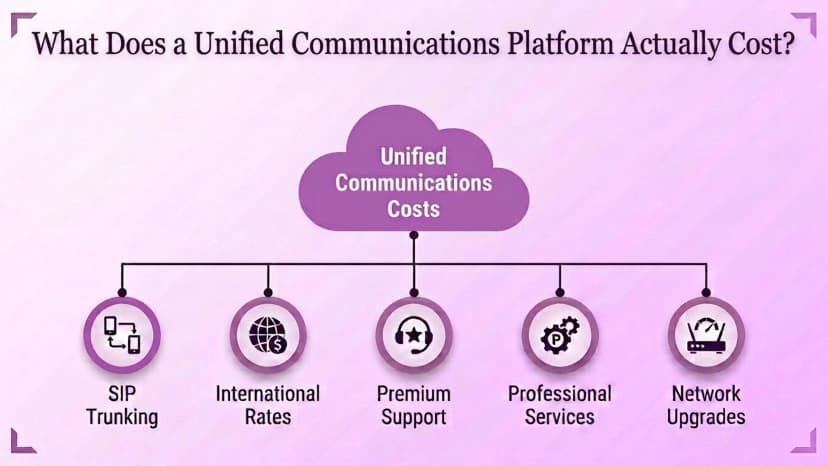
Deployment model shapes that cost more than almost anything else. On-premise systems usually carry a larger upfront capital expense for equipment and installation. Cloud platforms turn that into a smaller, recurring operating cost. Consolidation itself is a real savings lever too. Replacing separate phone, video, and messaging contracts with one platform removes duplicate hardware, maintenance, and support-line costs. Those add up quietly across a year.
UCaaS vs CCaaS: Which Type of Platform Does a Business Actually Need?
This is the fork in the road most buyers hit without noticing. UCaaS is built for internal, employee-to-employee collaboration. That means the calling, messaging, and meetings between coworkers. CCaaS (Contact Center as a Service) is built for external, customer-facing interactions at scale. These are the tools a support or sales team uses to handle high call and message volume with people outside the company.
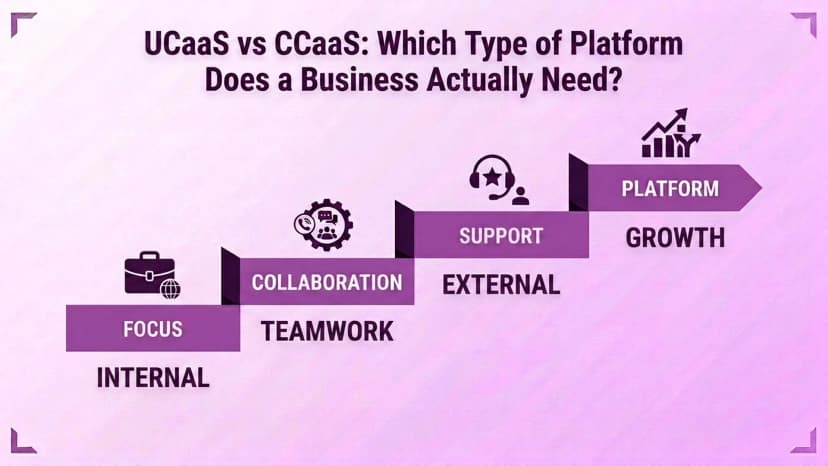
Is the priority helping employees work with each other? Then UCaaS is the right category. Is it managing customer-facing call and sales operations? Then look at CCaaS. A UCaaS feature list will not answer the questions that matter for that use case.
Does Ringflow Fit Into This Category?
Not as a UCaaS platform. Ringflow is a Cloud Contact Center and AI Sales Platform. It is built for the customer-facing half of the decision above, not internal employee collaboration. A business comparing unified communications platforms for internal messaging and meetings is shopping in a different category entirely.
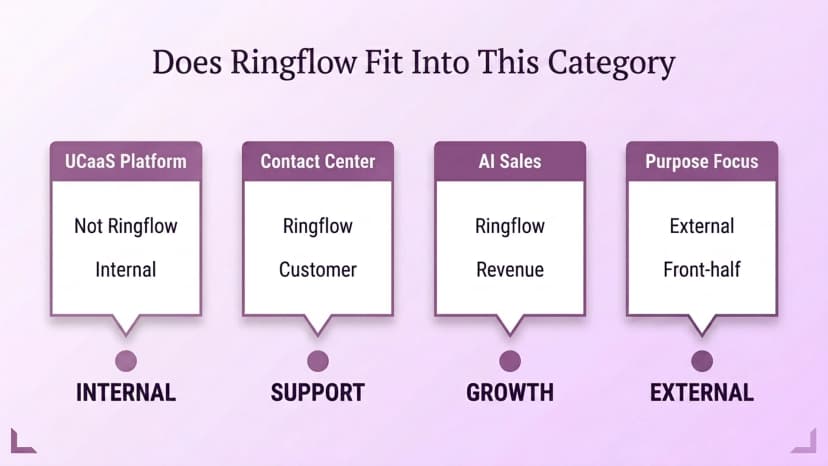
Ringflow becomes relevant on the CCaaS side of that same evaluation. It manages inbound and outbound customer call volume, routing, and CRM Integrations for sales and support teams. The vendor questions from earlier in this guide still apply. Check integration depth and reliability. Match the tool to the real use case, not the longest feature list. The category differs from general-purpose UC platforms, but the method is the same.
Conclusion
The businesses still happy with a unified communications platform two years in split the three decisions upfront. They match the deployment model to their real infrastructure. They match features to how the team actually works. And they weigh vendor stability against a five-year horizon — instead of picking whichever demo had the flashiest feature list.
Ready when you are
Handling the Customer-Facing Side of Communication?
See how Ringflow's Cloud Contact Center and AI Sales Platform manages customer-facing call volume and routing alongside whichever UC platform your team chooses.
Frequently Asked Questions
A genuine UC platform combines telephony (voice calling, voicemail), messaging with saved history and search, and audio/video meetings in one integrated client. It is not a bundle of separate, disconnected tools. If you switch between three apps to call, message, and meet, that is a set of point solutions, not a unified platform.
The three models are cloud-based, on-premise, and hybrid. Cloud is fast to deploy, and the provider manages scaling and updates. On-premise gives more control and customization, but the business manages the equipment and network directly. Hybrid pairs cloud services with local gateways to meet regulatory or latency needs, at the cost of added complexity.
Many enterprise-grade providers offer "five nines," or 99.999% uptime, in their service-level agreement. That works out to roughly five minutes of downtime a year. Anything well below that should prompt questions about what actually happens during an outage, not just what the contract says.
It depends on how you measure cost. On-premise usually means a larger upfront capital expense for equipment. Cloud turns that into a smaller recurring operating cost. Total cost of ownership should also count support tiers, international dialing, SIP trunking fees, and any network upgrades needed for call quality.
UCaaS is built for internal, employee-to-employee collaboration: calling, messaging, and meetings between coworkers. CCaaS is built for external, customer-facing interactions at scale — the tools a support or sales team uses to handle high call and message volume with people outside the company. The right choice depends on which side of that line you are solving for.
Beyond the feature list, check technical standards (SIP, WebRTC), REST APIs for integration, and compatibility with existing phone equipment. Also weigh factors that never show up in a demo: financial stability, support quality, and how often the roadmap actually ships. The best platform matches your real use case, not the longest spec sheet.
No. Ringflow is a Cloud Contact Center and AI Sales Platform. It is built for customer-facing call and sales operations, not internal employee-to-employee collaboration. A business comparing UCaaS platforms for internal communication is looking at a different category than Ringflow's contact center and sales tooling.