
Introduction
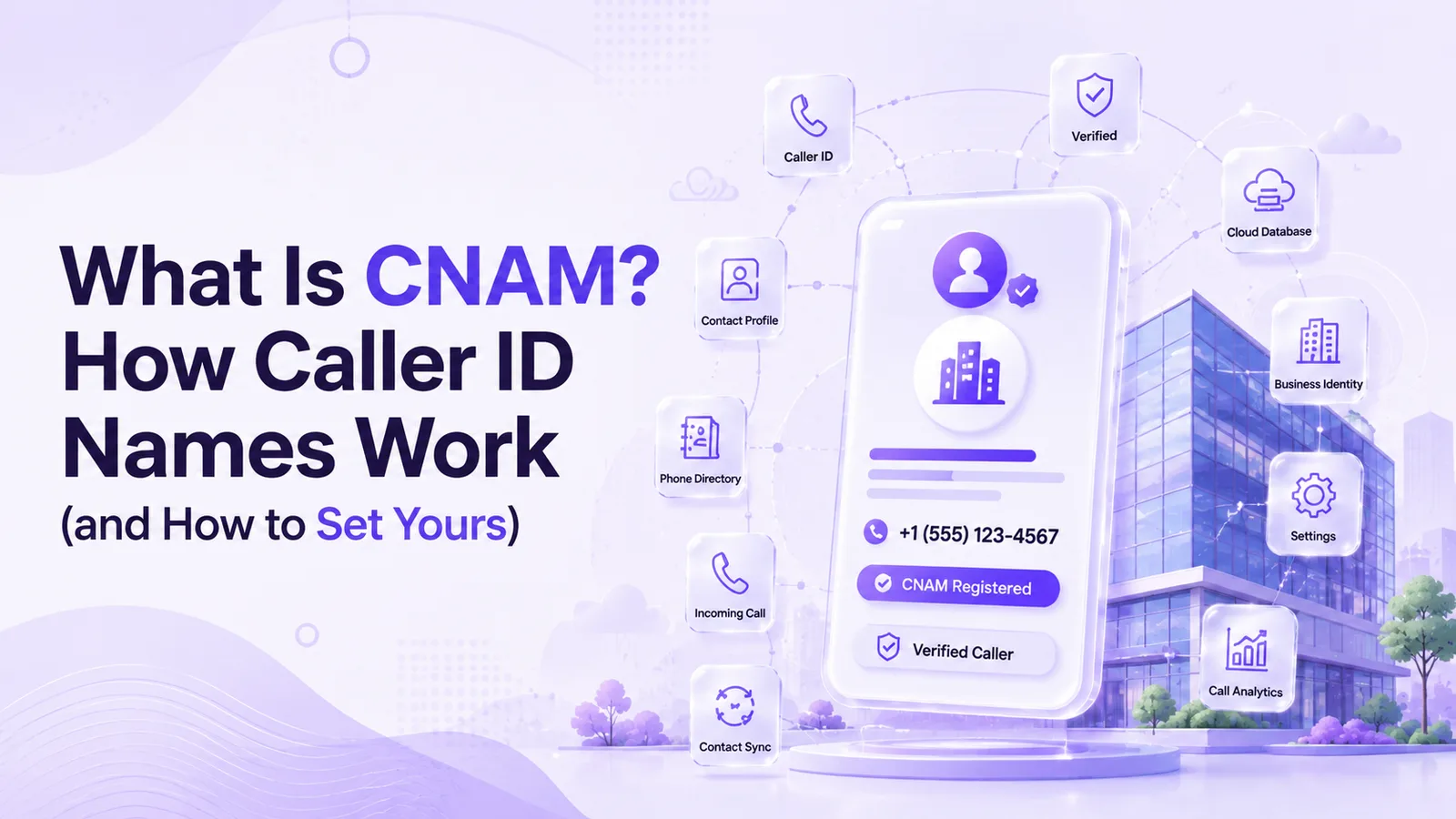
CNAM stands for Caller ID Name, the short label that appears on a phone screen before you answer, such as a company name instead of a bare number. It looks simple, yet many businesses find that their own calls still arrive as Unknown Caller even after they registered a name. The reason is that the name is looked up separately from the number, and not every network checks. Understanding that difference is the key to fixing it.
This guide from Ringflow explains what CNAM is, how a lookup works behind the scenes, and how it differs from branded calling. You will also see how to register or fix a listing, why the displayed name sometimes does not match, and how a clear name can affect answer rates for outbound teams. Every step is explained without jargon.
What Is CNAM and How Is It Different From Caller ID?
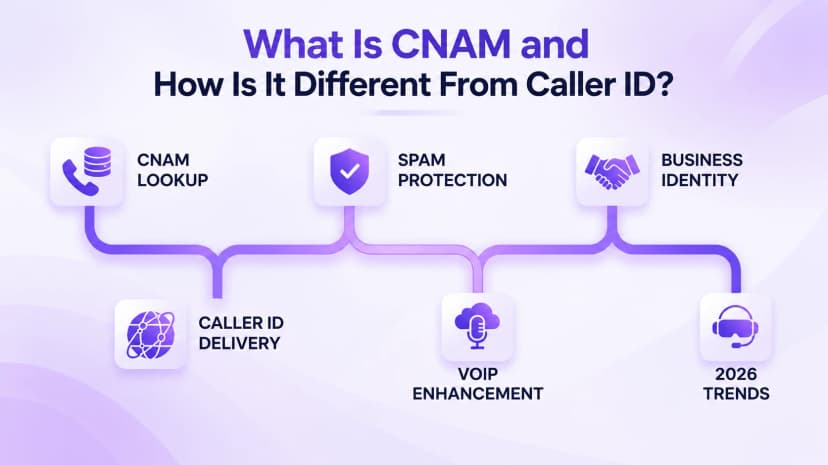
CNAM is the system that supplies the name shown with an incoming call. Caller ID is the broader term for any information displayed before you answer, and the number is almost always included. The name is a separate lookup against a shared database, so a phone can show a correct number with no name at all. That gap explains most of the confusion about this feature. It helps to treat them as two separate pieces of information.
Newer branded calling works differently. It can show a logo and a reason for calling, and it relies on STIR/SHAKEN call authentication instead of a name database. Branded calling is carrier specific and has not replaced the older system everywhere, so businesses often need both set up well. Treat CNAM as the base layer and branded calling as an extra layer on top.
- CNAM: a short text name, limited to about 15 characters, pulled from a shared database when a call connects.
- Caller ID number: the calling number itself, which almost every network displays by default.
- Branded calling: a logo and call reason, delivered through newer carrier programs and call authentication.
- STIR/SHAKEN: a signing system that helps show a call's number is genuine, which is not the same as a name.
- Spam labels: tags added by phone apps or carriers, based on reports rather than on your registration.
- Unknown caller: what many people see when no name is returned or the carrier skips the lookup.
- Business identity: the name customers see decides whether they trust the call enough to pick it up.
How a CNAM Check Works Behind the Scenes
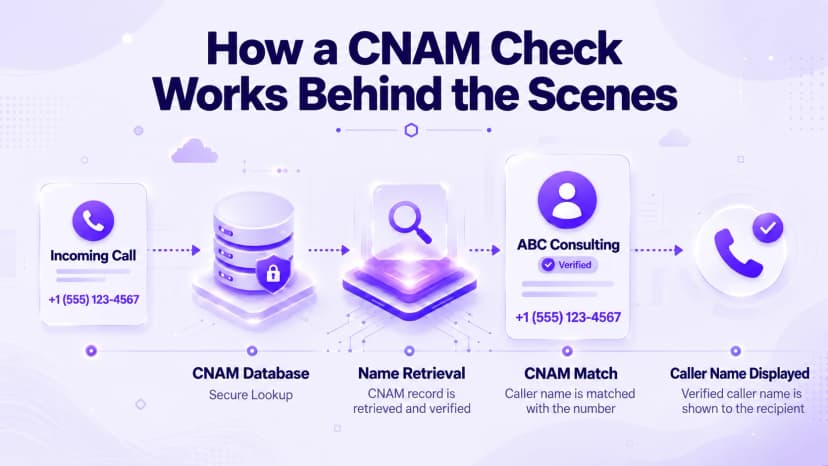
When a call connects, the carrier handling the receiving line can query a shared line information database, often called an LIDB dip. The database returns the name registered to the calling number, usually in a fraction of a second, and the carrier shows it beside the number. No app is involved on the receiving phone, so the same call can look different on two carriers. Results therefore vary by carrier, not by your phone.
Many mobile carriers do not run this lookup on every call, because each query carries a small cost. They may rely on spam-detection apps instead, which use crowdsourced data rather than your registration. That is why a correct listing can still appear blank on some phones. Our guide to restricted and blocked calls covers cases where no caller information appears at all.
- Call arrives: the originating carrier sends the call and the calling number toward the recipient.
- Query: the receiving carrier asks the database whether a name is registered to that number.
- Match: the database returns the stored name, or nothing at all if no record exists.
- Display: the carrier shows the returned name together with the number on the screen.
- Cache: some carriers keep a local copy of the data, so updates can reach phones at different times.
- Skip: when a carrier does not run the lookup, the screen shows only the number or a generic label.
- Timing: the whole lookup happens in a fraction of a second, so callers never notice any delay.
How to Register Your CNAM
Registration starts with a lookup. Check what name, if any, is currently listed for your business number, because an old or empty record changes the request you make. Then decide the exact name customers will recognize. Use your trading name rather than an abbreviation, and remember that the display is short, so a long legal name may be cut off. Keep the wording consistent with your website and invoices.
Next, ask your phone provider to submit the name. Carriers generally want proof that you own the number, and the request should reach the major database aggregators rather than only one regional carrier. Updates take time to spread, with many requests settling within about three to ten business days. Expect the new name to appear unevenly for the first week or two. Early test calls may still show the old name.
- Look up: run a CNAM lookup on the number to see the current listing before you change anything.
- Choose: pick the name customers already know, kept short enough to fit a small display.
- Request: ask your provider to submit the name, with proof that the number belongs to you.
- Confirm: make sure the request reaches the main database aggregators, not a single regional carrier.
- Wait: allow several business days for the change to spread across carrier databases.
- Verify: run another lookup after the waiting period and test calls to phones on different carriers.
- Document: keep a record of the name you registered and the date, so future changes are easy to trace.
Why the Displayed Name Sometimes Doesn't Match
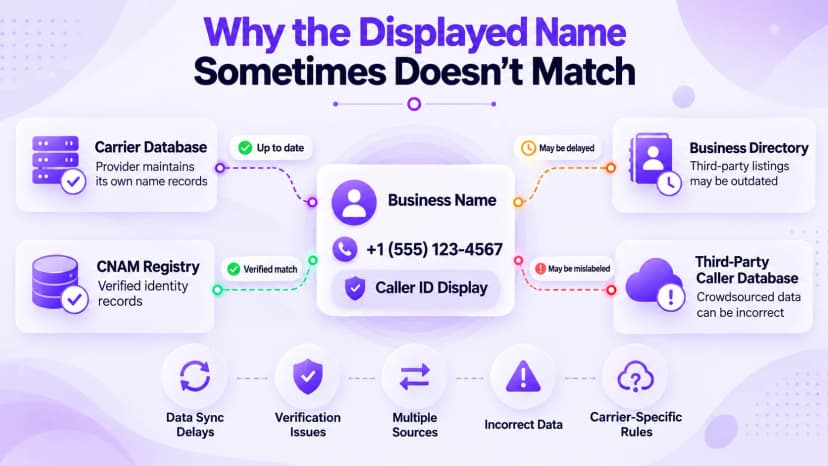
A mismatched name usually has one of a few causes. The receiving carrier may not run the lookup, a database may still hold an older cached record, or the registration may never have been completed properly. Third-party directories and spam apps can also show their own labels, which may be delayed or outdated, so two people can see different names for the same call.
A displayed name is also not proof of identity. The FCC spoofing guide explains that scammers deliberately falsify caller ID information, and that phone companies may block robocalls by default using reasonable analytics. A number flagged by those systems can lose its label even when the registration is correct, so check reputation as well as registration. Registration fixes the label, but it cannot fix a poor reputation.
- No lookup: the receiving carrier skips the name query, so only the number appears on the screen.
- Stale record: a cached copy of an older name still sits in a regional database.
- Incomplete request: the name was submitted to one database but never reached the others.
- Third-party labels: a spam app shows its own tag based on user reports, not on your listing.
- Number flagged: analytics tools mark the number as suspicious, which can hide or replace the name.
- Format limits: a long name is shortened or altered to fit the display length.
- Carrier rules: each network sets its own policy on lookups, labels, and blocking, so results differ.
CNAM and Call Answer Rates for Businesses
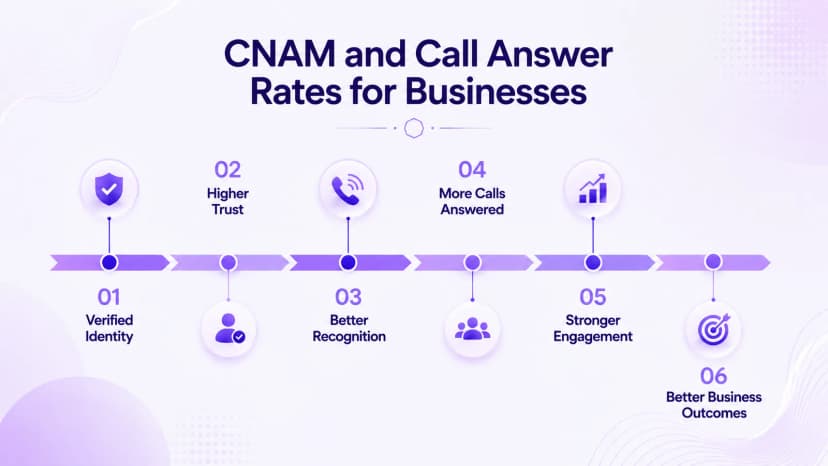
People are cautious about unknown numbers, and a call with no name is easy to ignore. A recognizable business name gives the recipient a reason to pick up, which matters most for sales and support teams making many calls a day. Every unanswered ring is a missed conversation, and fixing the label is often cheaper than rewriting a script. That small change can protect real revenue.
Do not expect registration alone to guarantee results, because mobile carriers and apps decide what to show. Treat the name as one part of caller reputation, alongside consistent calling patterns and number monitoring. Compare answer rates before and after any change, so you know whether the work paid off. Small tests make the effect easy to measure. Check the listing regularly, since records can change after a database refresh.
- Name the business: show the name customers already know, since a familiar name is more likely to be answered.
- Keep it short: about 15 characters fits most displays, so trim long legal names.
- Cover every number: register each outbound line, not just the main one.
- Re-check often: run a lookup every few months, since listings can revert after a refresh.
- Add authentication: pair the name with call signing so newer phones also treat the call as trusted.
- Track results: compare answer rates before and after a change to see whether it helped.
- Consistency: use the same name across every channel, so customers see one identity on every call.
Conclusion
CNAM is simple once the database logic is clear: a name is registered to a number, and a carrier may look it up when a call connects. The confusing part is that many carriers skip the lookup, and newer branded calling follows different rules. Knowing that difference explains most unknown-caller complaints and tells you where to look first. That clarity saves time.
Treat registration as routine maintenance. Check your listing, keep the name short and consistent, and test calls to phones on several carriers after any change. Ringflow offers a free trial, so you can test how your numbers look before you move a whole team over. Review the listing again every quarter to catch silent changes early. It is a small habit that prevents a lot of missed calls.
If you take only one step from this guide, run a lookup on your main number today. It takes a minute, shows what callers may see, and tells you whether a registration problem exists. From there you can fix the listing, test it across carriers, and decide whether branded calling is worth adding for the customers who matter most.
Ready when you are
Tired of Your Business Calls Showing Up as "Unknown Caller"?
A properly managed caller ID and clean number reputation mean more of your calls actually get answered. Get a free trial with Ringflow.
Frequently Asked Questions
No. Caller ID is the broad term; CNAM is the name lookup.
Roughly three to ten business days.
About 15 characters.
No name was returned or the carrier skipped the lookup.
No. Phone apps add them based on reports.