
Introduction
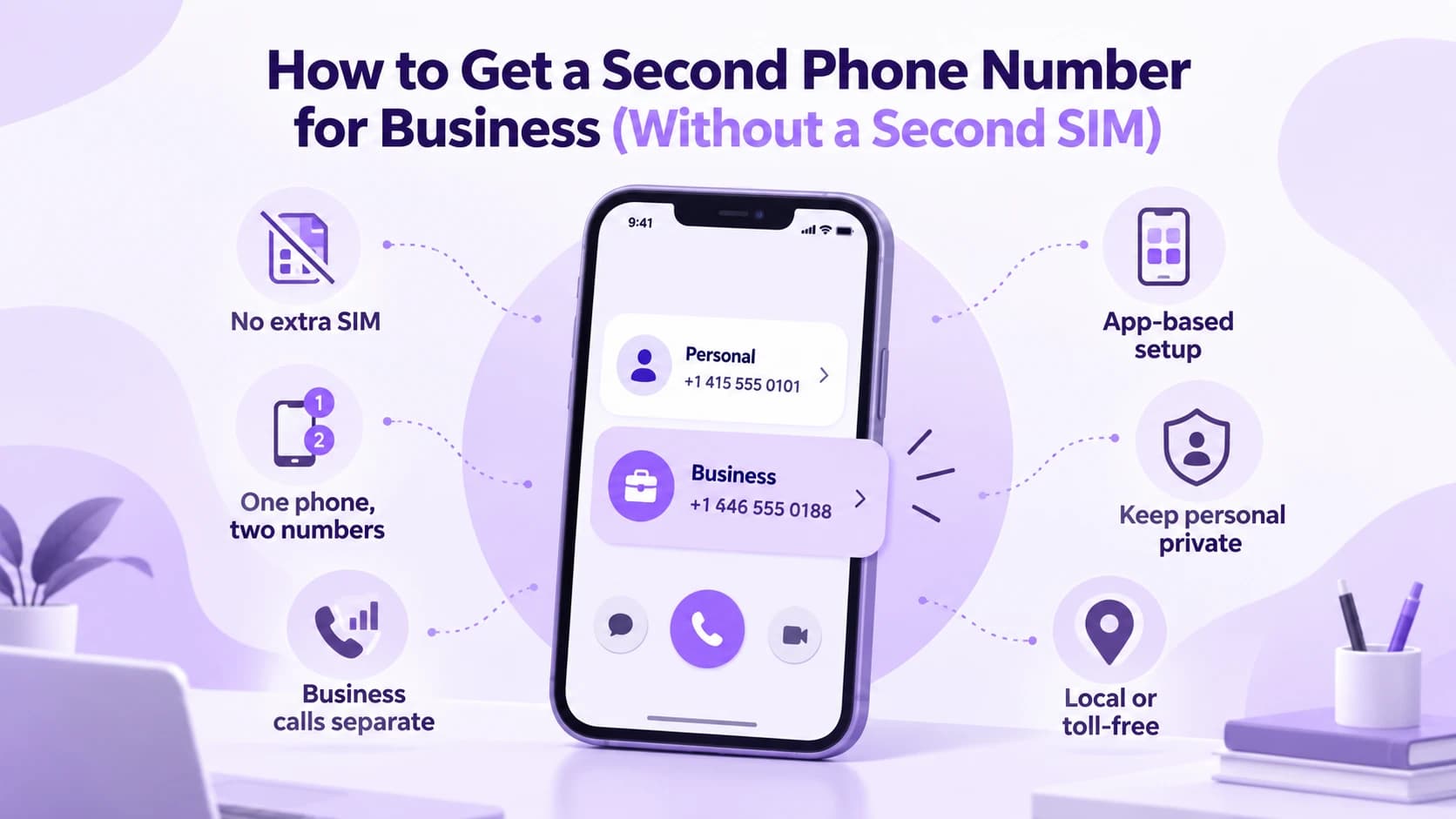
Handing out your personal cell number to every customer eventually catches up with you. Calls arrive at dinner, texts pile up on weekends, and switching phones or numbers later means updating every listing and business card by hand. A second phone number for business fixes this without a second SIM card, a second device, or a trip to a carrier store you never had time for.
This guide covers what a second business number actually is, how the main options compare, and the exact steps to set one up today. It also covers the features worth paying for, when a solo line stops being enough, and what the whole thing costs each month. By the end, you will know exactly which option fits your business right now, not just a list of apps.
What Is a Second Business Phone Number?
A second business phone number is a separate line that rings and texts through an app on the phone you already carry, instead of a second SIM card or a second device. It runs over your data or Wi-Fi connection, and callers see a completely different number from your personal one. You keep one physical phone, but the two lines stay fully separate at all times.
The call itself travels over the internet to a provider's servers before it reaches the person you are calling, so your personal carrier plan never touches it. The number behaves like a real line: it rings, takes voicemail, and forwards on its own schedule. Most providers also let you choose an area code that matches your city or your customers, rather than wherever your personal carrier happens to be based.
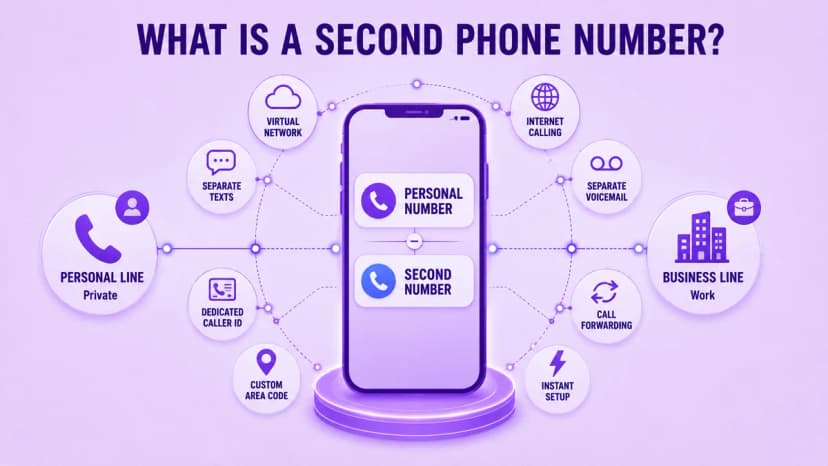
- Runs through an app on your existing phone, with no second SIM required
- A second phone number for business uses your data or Wi-Fi connection instead of a separate cellular plan
- Gives callers a distinct number, separate from your personal line entirely
- Comes with its own voicemail, caller ID, and text message thread
- Lets you pick an area code that matches your city or your customers
- A second phone number for business keeps your personal call history and contacts completely untouched
- A second phone number for business works the same on Android and iPhone, with no special hardware needed
- Can be changed later if the first area code you pick does not fit
Second Number App vs. Dual SIM vs. Carrier Add-On
There is more than one way to add a line, and the three common options do not work the same way underneath. A dedicated app runs entirely in software, so it works on almost any phone and needs no visit to a carrier store. Dual SIM and eSIM setups need a compatible phone and a second data plan, which adds cost and a bit more setup time before the line is ready to use.
A carrier add-on line usually ties you to one carrier for as long as you keep it, and it often costs more per month than an app-based option with similar features. Each path gets you a working number in the end, but only the app-based route skips new hardware and a second monthly data plan entirely, which is exactly why most small businesses land there first.
- A dedicated app works on almost any phone with no carrier visit required
- Dual SIM or eSIM needs a compatible phone and a second data plan
- A carrier add-on line often ties you to one carrier long term
- A second phone number for business is usually cheapest through an app-based setup
- Dual SIM suits people who already own a compatible phone
- Carrier add-ons make sense if you want everything on one monthly bill
- Compare monthly cost against setup effort before picking a second phone number for business option
How to Set One Up Without a Second SIM
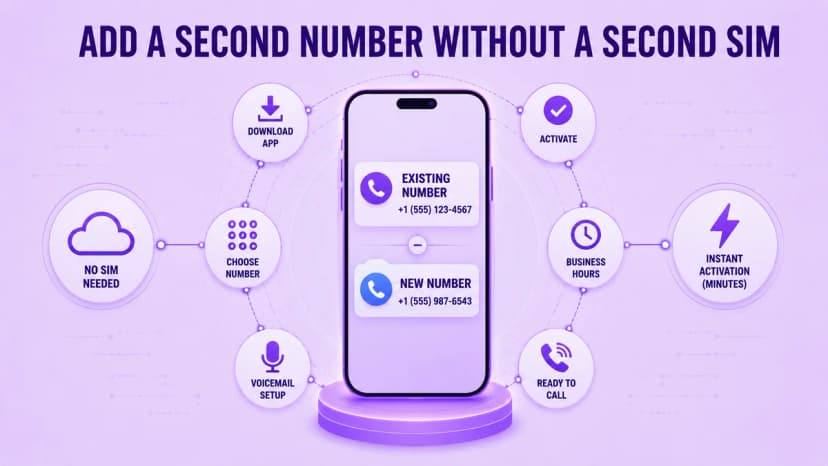
Getting started takes about five minutes once you pick a provider. Download the app to the phone you already carry, choose a local or toll-free number from the options shown, and confirm the number to finish account setup. From there you set a voicemail greeting and business hours, and the line is ready to make and receive real calls right away, with no waiting period.
The app handles routing automatically once it is active, sending each call or text to the right line based on which number the caller actually dialed. You can usually change the number later if the first area code does not end up matching your customers, and most providers let you do this without starting the entire setup over again from scratch.
- Download the app to the phone you already carry, no new device needed
- Choose a local or toll-free number from the list the app shows you
- Confirm the number and finish the short account setup
- Record a voicemail greeting and set your business hours once
- A second phone number for business starts taking calls from the new line immediately
- Change the number later if the first area code does not fit
- Setting up a second phone number for business should feel like installing an app, not signing a contract
Features to Look for in a Second Number App
Not every app is built the same way for real business use, so a handful of features matter more than a long list of extras. A custom voicemail greeting recorded once and reused automatically saves you from repeating yourself, and call forwarding to your cell keeps you reachable when the app itself is closed. Texting support matters just as much as calling, since many customers text before they ever dial.
Once you look past the marketing on the pricing page, most of these apps are really just a business softphone app with a friendlier interface layered on top, which is worth knowing before you compare pricing pages. Business hours scheduling and a caller ID that shows your business name instead of a bare number round out the features worth actually paying for. If a customer ever says a text from the new line never showed up, our text message not delivered guide covers the usual causes.
- A custom voicemail greeting that plays automatically for every missed call
- Call forwarding to your cell when the app itself is closed
- A second phone number for business needs texting support, since many customers message first
- A second phone number for business benefits from hours scheduling for automatic after-hours replies
- Caller ID that shows your business name rather than a plain number
- Call summaries or notes so nobody has to replay a call to remember it
- A simple way to add a second user, the same way Ringflow does it, once the team grows past one
When to Upgrade to a Full Phone System
A single dedicated line works well for a freelancer or a one-person side business handling every call alone. Once a second or third person needs to answer the same number, a solo app starts to show its limits fast, since it has no way to know which person on a team should actually pick up the phone that day, or which one is already busy.
A full business phone system adds shared numbers, call transfers between teammates, and manager visibility into every call that comes in. At that point, the setup usually shifts from a single app line toward a virtual phone number managed on a shared platform, so several people can answer the same line without stepping on each other. The switch rarely means giving up the number customers already have.
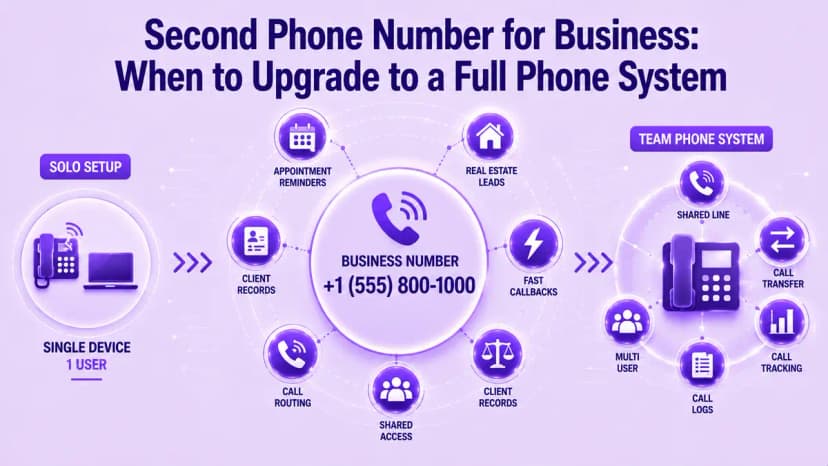
- A second phone number for business works fine solo until a second person needs to answer the line
- Shared numbers let a team answer the same line from different devices
- Call transfers move a customer to the right person without a callback
- Manager visibility shows call volume and response times across the team
- Most teams keep their existing number and add routing rules on top
- A healthcare office benefits from reminders and fast transfers to staff
- A real estate agent benefits most from quick callbacks before a lead cools
How Much Does a Second Business Number Cost?

Expect to pay between 10 and 25 dollars a month for a second business number with calling, texting, and voicemail included. Add-ons such as a toll-free number or detailed call analytics push the price higher, and annual plans typically cost less per month than paying month to month, though month-to-month keeps things flexible while you test a new number.
Local numbers are assigned through the North American Numbering Plan, which decides which area codes exist for a given city or region, so check availability early before you commit to a number tied to a specific place or city. Weigh the monthly cost against what a single missed call actually costs your business before choosing the cheapest plan on the list.
- A second phone number for business typically runs 10 to 25 dollars a month for the basics
- Toll-free numbers and detailed analytics usually cost extra on top
- Annual billing is typically cheaper per month than paying month to month
- Month-to-month billing keeps you flexible while you test a new number
- Area code availability depends on the North American Numbering Plan
- A single missed lead often costs more than a year of the plan
- Compare total monthly cost, not just the advertised starting price
Conclusion
A second phone number for business solves the same problem for almost every small business and freelancer: keeping work calls separate from personal ones without carrying two phones. The right option comes down to team size more than which app has the most reviews. A solo user does fine with a basic app, while a growing team needs shared access and routing instead.
Download an app and claim a number this afternoon, then test a few real calls before you hand it out to customers. Watch your notification settings closely at first, since most early problems trace back to a missed alert rather than the line itself. Ringflow's business phone platform covers everything from a single line to a full team rollout, so there is no painful switch later when the team grows.
Ready when you are
Ready to Stop Mixing Business Calls With Your Personal Line?
See how Ringflow makes it simple to add a business line and manage it alongside your whole team.
Frequently Asked Questions
It is a separate business line that runs through an app on your existing phone, with no second SIM required. It keeps work calls and texts apart from your personal number.
No. Most second business numbers run entirely through an app over your data or Wi-Fi connection, so there is no SIM swap or carrier store visit involved.
Most people finish in about five minutes: download the app, pick a number, confirm it, and set a voicemail greeting before making the first call.
Upgrade once more than one person needs to answer the same number. A full system adds shared access, call transfers, and manager visibility a solo app cannot provide.
Yes, as long as the provider encrypts calls and texts and requires a secure login. Confirm encryption directly if your business handles sensitive customer information.