
Introduction
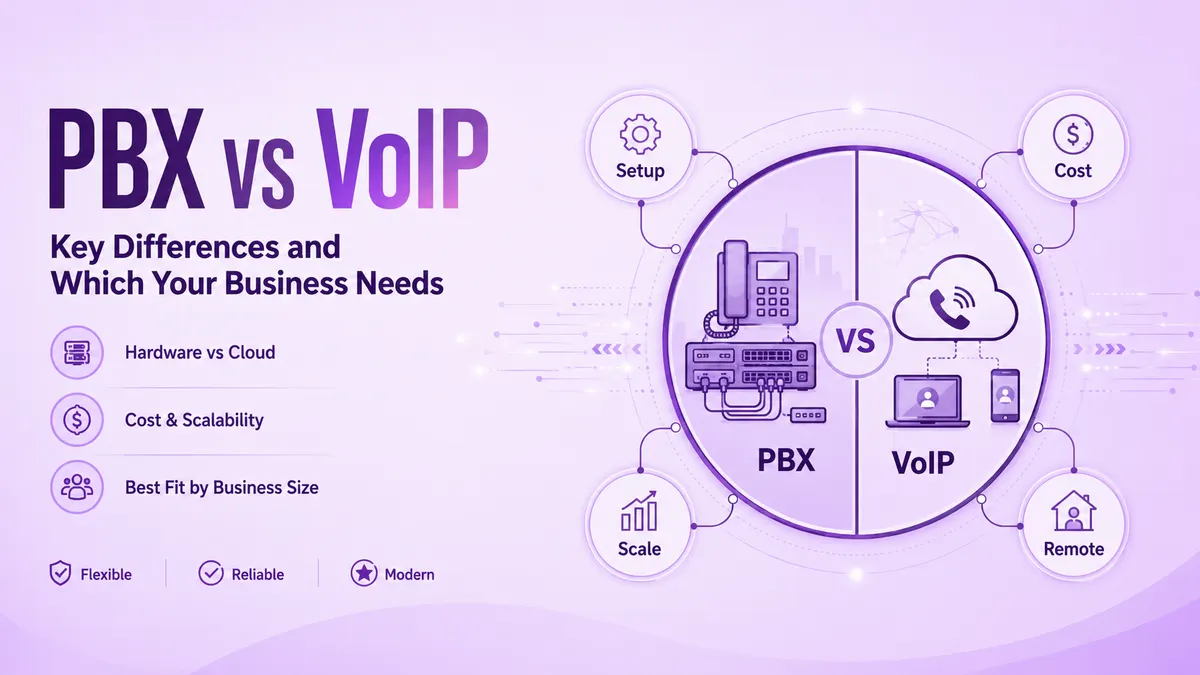
Choosing between PBX and VoIP shapes how a team answers calls, supports remote staff, and scales over the next few years, yet the decision often gets made on price alone rather than on real fit. Getting it wrong means paying for hardware nobody needed, or picking a thin connection that cannot keep up with real call volume once the team actually grows.
This guide breaks down what actually separates a PBX system from VoIP, where hosted PBX and IP PBX both fit into that picture, and how to weigh the real tradeoffs honestly before signing anything at all. By the end, you will know exactly which system matches your team size, current budget, and realistic plans for growth over the next few years.
What Is a PBX System?
A PBX, or private branch exchange, is a private internal phone network that connects office extensions together and routes calls out to the wider public telephone network as needed. Traditional PBX systems rely on physical hardware installed in a server closet, with copper wiring running from that central box out to every single desk phone in the building.
Businesses have leaned on this setup for decades now because it works reliably once it is properly installed and configured. The tradeoff shows up early: real upfront cost for hardware, wiring, and a technician to keep it running. Plenty of older offices still run a PBX quietly in the background today, and for the narrow job it was originally built for, it still does that job reliably.
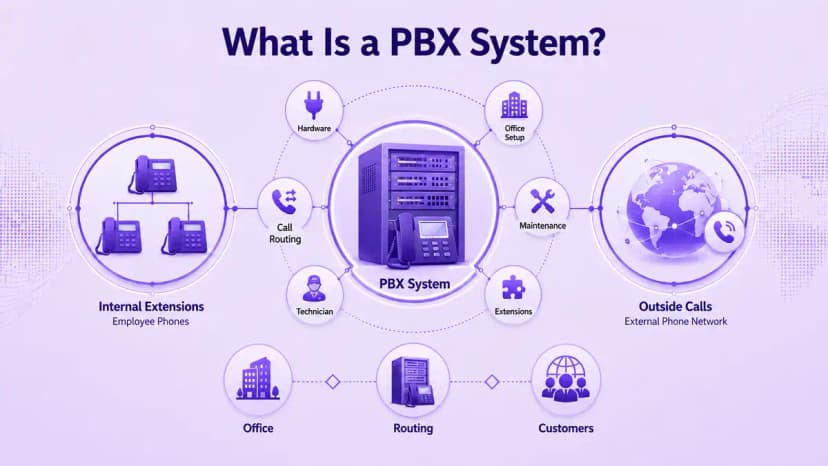
- A PBX connects internal extensions and routes calls out to the outside phone network
- Traditional PBX hardware sits on-site, usually in a server closet or utility room
- Copper wiring runs from the PBX box to every desk phone in the office
- Upfront costs are real: hardware, installation, and ongoing technician support
- Once installed, a PBX tends to run reliably for years without much attention
- Scaling a PBX usually means buying more physical capacity, not clicking a button
- Mobility is limited, since calls are tied to a wired extension in the building
- Some regulated industries still keep PBX systems for legacy compliance reasons
What Is VoIP?
VoIP, or Voice over Internet Protocol, turns a voice into small data packets and sends them over the internet instead of over old, aging copper phone lines that used to be standard. There is no on-site switchboard required at all, since a VoIP provider routes every call through its own cloud infrastructure rather than a physical box sitting in your office.
Any device with a stable internet connection, whether that is a desk phone, a laptop, or a plain smartphone, can place and receive calls on the exact same business number. That flexibility is exactly why so many growing teams move away from legacy phone lines the moment remote or hybrid work seriously enters the picture at all, often faster than expected.
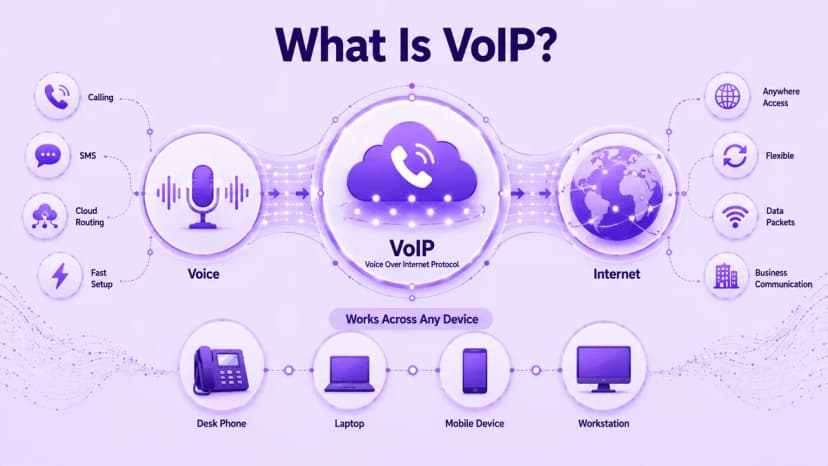
- VoIP converts voice into data packets and sends them over the internet
- No on-site switchboard is needed, since the provider hosts the infrastructure
- Desk phones, laptops, and smartphones can all place calls on one number
- New users are added as software licenses, not physical phone jacks
- Call quality depends on internet bandwidth rather than a dedicated phone line
- Remote and hybrid staff stay reachable on the same number from anywhere
- Setup usually takes only hours, not the many weeks a wired PBX install can take
- Most modern business phone plans are built entirely on VoIP by default today
Hosted PBX vs VoIP, and IP PBX vs VoIP
Hosted PBX vs VoIP confuses even experienced buyers, mostly because hosted PBX is technically just a specific type of VoIP wearing a different label. With hosted PBX, a provider owns and manages the PBX server entirely off-site, and the business simply connects to it over the internet using standard VoIP calling, getting extensions, auto-attendants, and voicemail-to-email without ever owning a single piece of hardware.
IP PBX vs VoIP is a narrower, more technical comparison than the hosted-versus-cloud question above. An IP PBX is a physical or virtual server the business still manages internally, but it runs on VoIP protocols instead of analog lines, often connected through a SIP trunking connection to the public network. Pure VoIP removes that on-site server entirely, leaving a provider to host and maintain everything on your behalf instead.
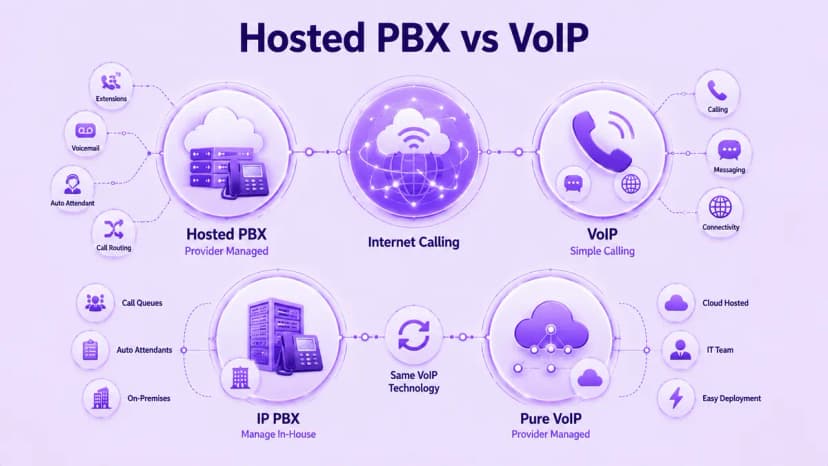
- Hosted PBX is a form of VoIP with a provider managing the server off-site
- It bundles extensions, auto-attendants, and voicemail without on-site hardware
- Plain VoIP often skips the full PBX feature set for simpler calling
- An IP PBX is a server the business manages, running on VoIP protocols
- A SIP trunk often connects an IP PBX to the public phone network
- Pure VoIP removes the on-site server, leaving the provider to host everything
- The real question is who maintains the system: your team or the provider
Weighing the Pros and Cons
PBX still earns its place in a handful of specific, fairly narrow situations. It does not depend on internet uptime, so call quality will not drop if a connection blips, and some legal or healthcare offices keep it for compliance reasons tied to older infrastructure. The downside is real too: expensive upgrades, little built-in mobility for remote staff, and a shrinking pool of technicians who still know how to service the hardware.
VoIP tends to win clearly on cost, mobility, and overall speed of deployment. Adding ten new hires means adding ten licenses, not ten new phone jacks in the wall. Call quality depends on bandwidth, so a spotty connection can cause dropped calls or lag, though for most businesses today, modern broadband makes that a fairly minor concern rather than a genuine dealbreaker worth losing sleep over.
- PBX keeps working through an internet outage, since it does not depend on one
- PBX upgrades are expensive and slow compared with a VoIP licensing change
- Fewer technicians remain who specialize in servicing older PBX hardware
- VoIP adds and removes users as licenses, with no new wiring involved
- VoIP call quality depends on bandwidth, so a weak connection can cause lag
- Modern broadband makes VoIP quality issues rare for most everyday businesses
- Neither system is universally better; the right one truly depends on the situation
How to Choose Between PBX and VoIP
Picking between PBX and VoIP is never just about a features checklist, it is really about matching the system to how a team actually works day to day. A single-location team under 20 people rarely justifies PBX hardware costs, while VoIP or hosted PBX scales cleanly across several offices at once without new wiring being required at every single site.
Remote or hybrid staff tend to settle the question fast, since VoIP is really the only option that keeps everyone connected without clunky call-forwarding workarounds. Budget matters just as much: comparing full business phone system costs, not just the sticker price, usually tips the decision toward VoIP for any team that genuinely expects real growth in the near future.
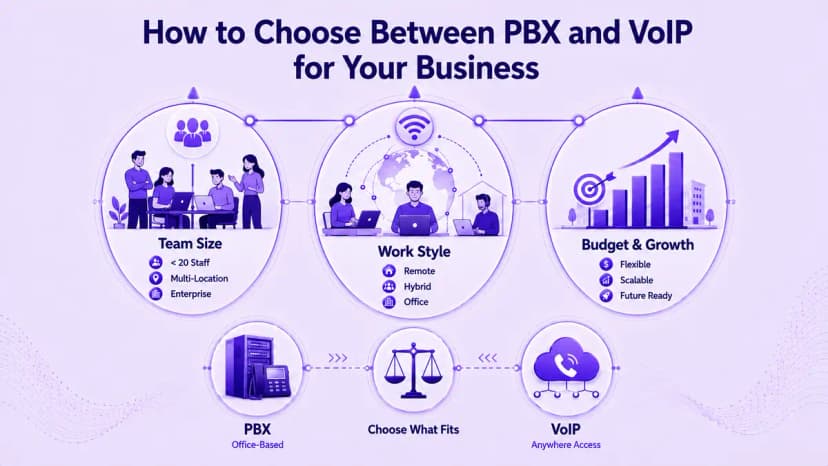
- Teams under 20 people at one location rarely justify PBX hardware costs
- VoIP and hosted PBX both scale across offices without new site wiring
- Any remote or hybrid staff make VoIP the more practical default choice
- Compare total cost over several years, not just the upfront sticker price
- Enterprises with dedicated IT sometimes still prefer IP PBX for control
- Plan for expected headcount growth, not just today's team size
- Ask each vendor exactly what happens to pricing and support as you scale up
Making the Switch: Migration and Reliability
Moving off an old PBX does not require ripping out a phone number or retraining an entire staff overnight, despite how daunting it can initially sound. Start by porting existing numbers over to a VoIP provider, a process that typically takes one to two weeks, then test call routing and voicemail carefully with a small group before switching the full team over. Run both systems in parallel for a short overlap period if call volume genuinely cannot tolerate any downtime at all during the switch.
Reliability deserves its own careful check before committing to either system for the long term. The NIST VoIP security guide outlines the risks a provider should already be managing, and any vendor worth signing with should confirm E911 location support in writing and provide a documented uptime guarantee rather than a vague marketing claim on a pricing page.
- Port existing numbers to the new provider before decommissioning the old system
- Test call routing and voicemail with a small group before a full switch
- Run both systems in parallel briefly if downtime is not an option
- Confirm E911 location support and ask how it works for remote staff
- Request a written uptime guarantee instead of accepting a marketing claim
- Confirm call recording and data handling meet your industry's compliance needs
- Decommission any old hardware only once the new system is fully confirmed working
Conclusion
Weighing PBX against VoIP genuinely comes down to fit more than any single feature. Traditional PBX still works well for a narrow slice of businesses with strict on-site rules and a single, genuinely stable location. For nearly everyone else, VoIP wins clearly on flexibility and cost, whether that ends up meaning hosted PBX, a managed IP PBX, or straight cloud calling entirely.
Map your current team size, growth plans, and remote work needs against everything you just read, then pick the system that fits today without boxing in tomorrow. Ringflow's cloud phone system handles that entire transition without locking a growing team into a rigid hardware contract, so the number and system you activate now still fit the business comfortably a year or two down the road.
Ready when you are
Still Weighing PBX vs VoIP for Your Growing Team?
Ringflow's cloud phone system gives you VoIP flexibility with PBX-style call routing, all without the hardware bill.
Frequently Asked Questions
PBX routes calls through on-site hardware, while VoIP sends calls over the internet with little to no physical equipment required on-site.
Hosted PBX is a type of VoIP. A provider manages the PBX server off-site, and calls travel over the internet using standard VoIP technology.
An IP PBX is a physical or virtual server a business still manages internally, running on VoIP protocols instead of analog phone lines.
Usually yes. VoIP avoids large upfront hardware costs and scales through licenses, while PBX requires real capital spend before the first call goes through.
Yes, as long as the internet connection is stable. VoIP lets staff answer the same business number from a desk phone, laptop, or mobile device.