
Introduction
Telegram asks for a phone number before it lets you in, which surprises people who want privacy or a separate line for work. A virtual number for Telegram sounds like an easy answer, yet many of them fail at the verification step or leave the account open to someone else. Knowing which options last saves you from losing chats, contacts, and the groups you have built over the years.
This guide from Ringflow explains how Telegram uses your number, why free online numbers fail, and which options really last. You will also see how to set up an account on a second number, how to hide it, and how to use Telegram for business. Each section stands alone, so skip to the part you need, and come back to the rest when you are ready.
Does Telegram Require a Phone Number?
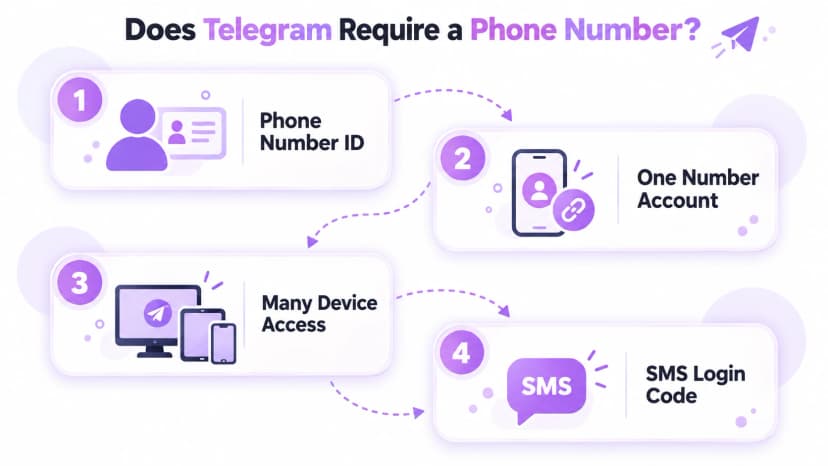
Yes. Telegram says it uses phone numbers as unique identifiers, and its FAQ explains that the number is currently the only way it identifies a user. Whoever controls the number controls the account. That is why a virtual number for Telegram is only as safe as your hold on it, and why a number you may lose is a risky choice. Treat the number like a key that you cannot copy.
Each phone number is a separate Telegram account, and you can use one account on several devices at once. New accounts are created in the Android or iOS app, not on the desktop version. Telegram asks for the number in international format and sends a login code by SMS, or inside the app if you are already signed in elsewhere. Keep that phone with you during setup.
- Identifier: the phone number is how Telegram recognizes your account.
- One number, one account: a second account needs a second number.
- Many devices: one account can run on phones, tablets, and computers.
- Login code: sent by SMS, or inside the app if you are signed in elsewhere.
- Voice codes: phone-call codes are offered only to accounts with two-step verification.
- Number types: Telegram does not promise that every virtual number type will work.
- Mobile first: Telegram asks for a mobile number in international format.
- Control: whoever holds the number can request a login code.
Why Free Online Numbers Fail Telegram Verification
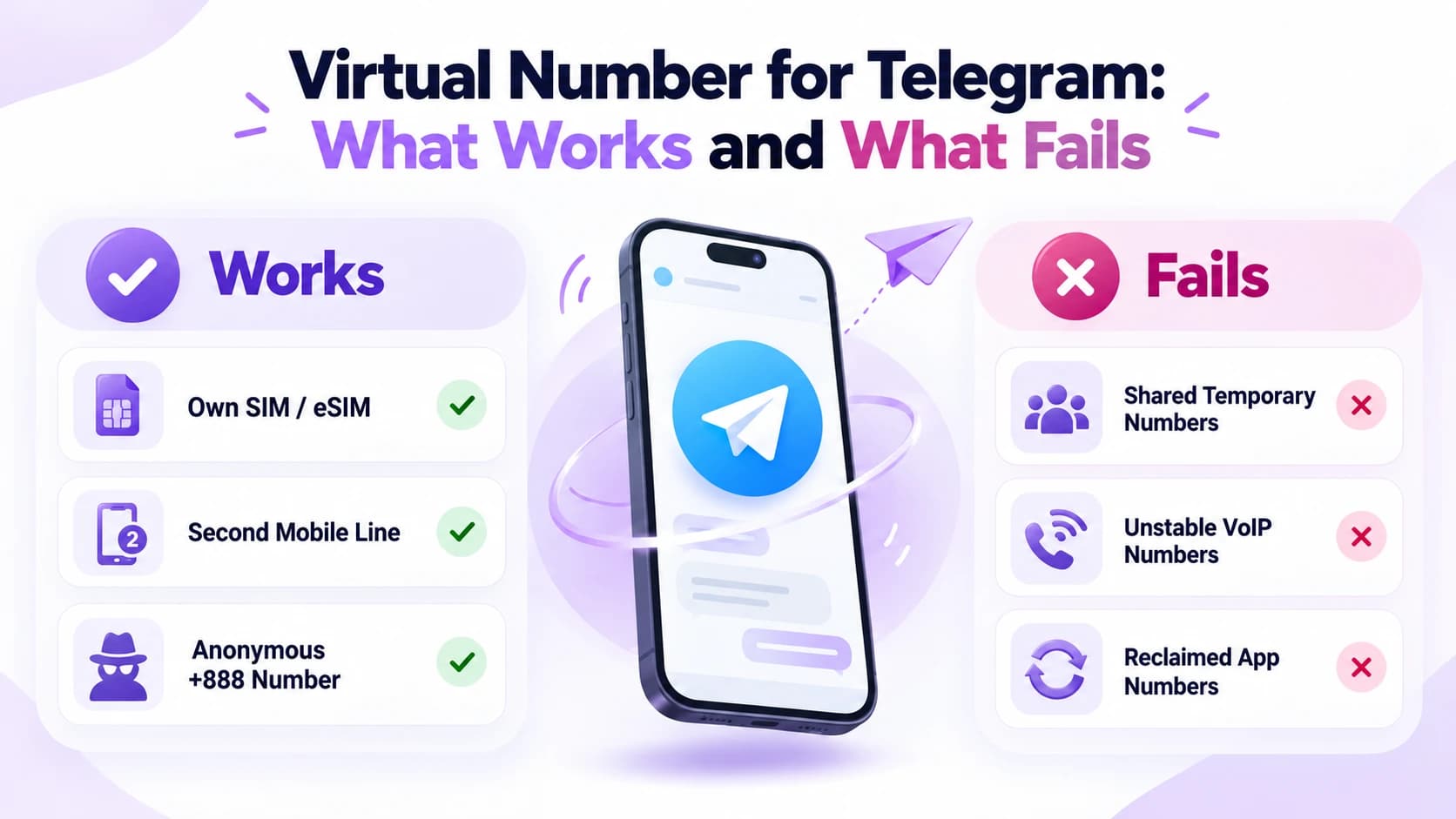
Free virtual number websites post incoming texts where any visitor can read them, so anyone can see your login code. Virtual numbers on those sites also change hands, and whoever controls the number next can ask Telegram for a code for your account. Many VoIP and temporary virtual numbers are refused outright, or never receive the code at all, which wastes time even when nothing worse happens.
Other messaging apps run into the same verification problem, as our WhatsApp virtual number guide explains for WhatsApp. App numbers can lapse too: Google's acceptable use policy lets it reclaim a Google Voice number that goes unused for calls or texts for three months. Telegram cannot help once both the number and every logged-in device are gone. That is why a lost number can mean a lost account for good.
- Public codes: anyone can read texts on receive-SMS websites.
- Recycled virtual numbers: the next owner can request a code for your account.
- Refusals: Telegram may reject VoIP and temporary numbers.
- Lapsing app numbers: unused numbers can be reclaimed.
- Weak recovery: Telegram cannot restore access without the number or a logged-in device.
- Rule of thumb: register only a number you can keep.
- Time cost: a refused number wastes the setup you already did.
- Safer path: a SIM or eSIM you pay for avoids these risks.
Virtual Number Options That Work
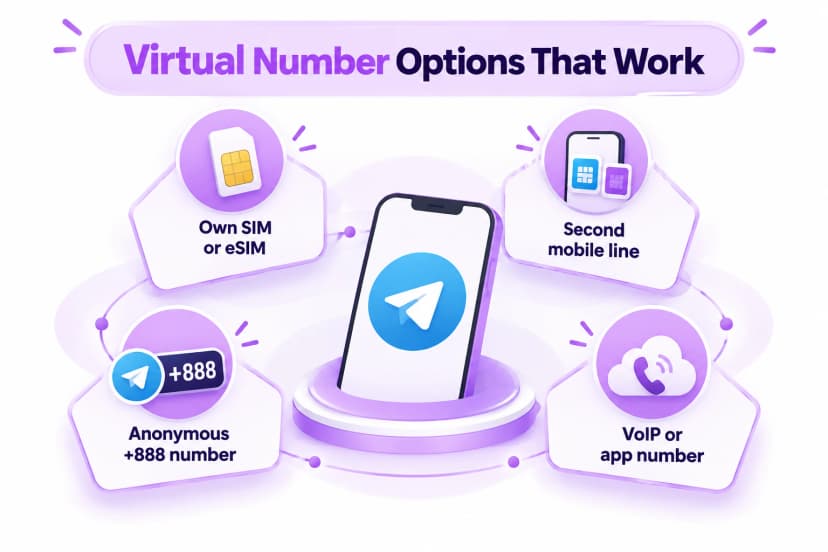
The options that last share one trait: the virtual number stays yours for as long as you want the account. Your own SIM or eSIM is the simplest, and a second mobile line works well on a dual-SIM phone or a spare handset. In both cases the code arrives by SMS, and nobody else sees it, so the account stays under your control. A paid plan also tends to keep the number active for years.
A separate line also keeps work and home apart, and our guide to a second business phone number shows how to set one up. Telegram also announced sign-up with anonymous numbers bought on Fragment in December 2022. These use the +888 prefix, and their codes arrive through fragment.com instead of by text, so keep that login safe. These numbers suit people who want no SIM tied to the account, but they need extra care.
- Own SIM or eSIM: sign up with the mobile number you already use.
- Second mobile line: a second plan on a dual-SIM phone or spare handset.
- Anonymous +888 virtual number: bought on Fragment, with codes delivered via fragment.com.
- VoIP or app number: may be refused at sign-up or reclaimed later.
- Keep it active: a lapsed plan can disconnect the number.
- Ownership: the number should be in your name or your company's.
Setting Up Telegram on a Second Number
Start by getting the virtual number ready. Activate the second SIM or eSIM, or have your Fragment number ready, then install the official Telegram app from your phone's store. Enter the number in international format, beginning with a plus sign and the country code. Telegram will send a login code, so keep the phone nearby and unlocked. Codes expire quickly, so enter yours as soon as it arrives.
Already on Telegram? Open Settings, tap your phone number, and choose Change Number. Chats, contacts, and media carry over to the new number. If you want to keep both numbers, add a second account in the app and switch between them. Either way, finish the privacy steps below before you share the account with anyone. A few minutes of setup now prevents awkward surprises later.
- Step 1: activate the second SIM or eSIM, or ready your Fragment number.
- Step 2: install the official Telegram app on Android or iPhone.
- Step 3: enter the virtual number in international format with a plus sign.
- Step 4: type the login code, by SMS or through fragment.com.
- Step 5: set who can see your number under Privacy and Security.
- Step 6: add a username and turn on two-step verification.
- Move an account: Settings, then your number, then Change Number.
- Keep both: add a second account and switch between them.
Hiding Your Number and Securing the Account
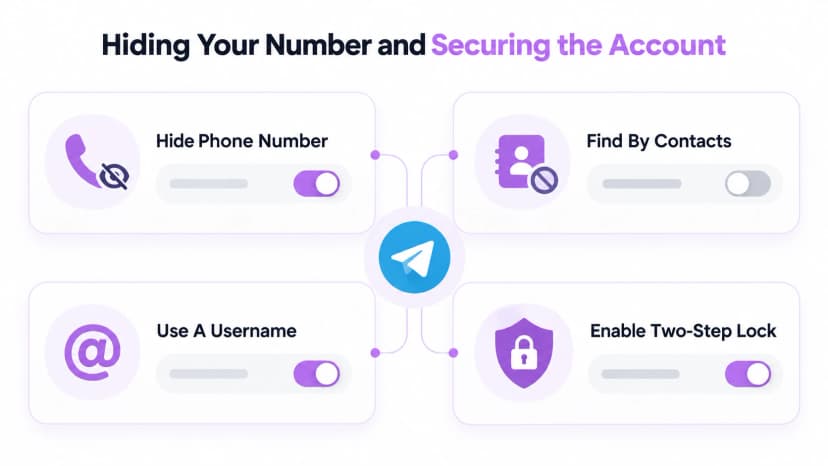
By default, only people saved in your contacts can see your number. The control sits under Settings, then Privacy and Security, then Phone Number, where you can choose Nobody. A second option then appears, Who Can Find Me By My Number. Set it to My Contacts, so someone who saves your number cannot match it to your profile. Check both settings after you create the account, since the defaults may not suit you.
Usernames let people reach you without a number. A username uses letters a to z, digits, and underscores, and people can find you through search or a t.me link. When someone finds you this way, neither of you sees the other's number unless you choose to share it. Because the account follows the number, the FCC port-out fraud alert is worth a read, and a carrier PIN helps protect it.
- Phone Number: set it to Nobody to hide the number from non-contacts.
- Find by number: set it to My Contacts.
- Username: lets people reach you without seeing your number.
- Two-step verification: a code alone can no longer open the account.
- Passkey: log in with a device PIN, fingerprint, or face scan.
- Never share codes: Telegram's own codes arrive in the service chat named Telegram.
- Self-destruct: accounts offline for 18 months are deleted by default.
Using Telegram for Business With a Separate Number
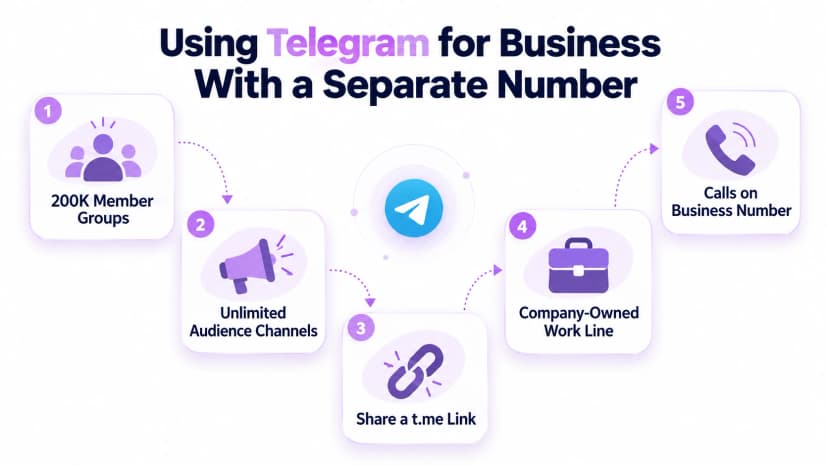
Telegram's FAQ highlights features that suit business, including groups of up to 200,000 members, channels with unlimited audiences, and desktop apps. A separate account keeps work chats apart from personal ones, and a t.me link can go on a business card or website so customers can start a chat without asking for a number. Customers can then reach you with one tap from any device.
Register that account on a line the business owns, so it does not leave when an employee does. Customers who want to call still need a phone line, and Ringflow offers local and toll-free business numbers with texting and mobile and desktop apps. Telegram's terms also forbid using the service for spam or scams, so send messages only to people who want them. A clear business name on the profile builds trust quickly.
- Large groups: up to 200,000 members, per Telegram's FAQ.
- Channels: audiences are unlimited.
- Business link: a t.me link replaces handing out a number.
- Company-owned line: the account stays when staff change.
- Calls and texts: keep them on a business number from Ringflow.
- Rules: spam and scams are against Telegram's terms.
- Profile: use a clear business name and a short description.
Conclusion
A virtual number for Telegram is only as reliable as your hold on it. Your own SIM or eSIM, a second mobile line, or a Fragment anonymous number can pass that test, while free online numbers and lapsing app numbers do not. Choose a number you can keep, then protect the account with the settings above.
After sign-up, hide your number, add a username if you want to be reachable, and turn on two-step verification. Ringflow offers a free trial with a business number and mobile and desktop apps, so customer calls and texts stay on a line you own, away from your personal phone. Review your settings today, then decide what to change.
Ready when you are
Need a Separate Line for Customer Calls?
Ringflow gives your business local or toll-free numbers for calling and texting, with mobile and desktop apps and porting for numbers you already have. Start a free trial.
Frequently Asked Questions
Yes, Telegram identifies every account by its phone number.
Yes, set Phone Number to Nobody under Privacy and Security.
An anonymous Fragment number that signs you up without a SIM.
Usually not; the codes are public and many numbers are refused.
By default, after 18 months offline.