
Introduction
WhatsApp doesn't ban a number at random. It's tied to a specific Terms of Service violation, and WhatsApp publishes exactly one legitimate way to ask for that decision to be reviewed: a button inside the app itself.
This guide covers, using only WhatsApp's own Help Center wording, why a number gets banned, the difference between a restriction, a temporary ban and a permanent one, and the actual steps to request a review. It also covers what doesn't work, since most of what circulates online about "unban tricks" isn't something WhatsApp has ever documented.
- WhatsApp bans an account for violating its Terms of Service, most often spam, scams, bulk or automated messaging, or using an unofficial app.
- The ban message reads "This phone number can't use WhatsApp: [phone number]." A temporary ban shows "Temporarily banned" instead.
- The only official path is the in-app "Request review" button. WhatsApp says most reviews are completed within 24 hours.
- If there's no "Request review" option, WhatsApp states the ban is final and can't be appealed.
- Only WhatsApp can lift a ban. WhatsApp explicitly says third-party services can't do this, no matter what they claim.
Why WhatsApp Bans a Number
WhatsApp's own Help Center states: "We ban accounts if we believe the account activity violates our Terms of Service, for example if it involves spam, scams or if it puts WhatsApp users' safety at risk." A lighter, separate state called a restriction can also apply first: WhatsApp warns that "recent activity on your account might be showing signs of engaging in spam, automated, or bulk messaging," and that continuing this "could have their account banned."
WhatsApp's Terms of Service specifically forbid "bulk messaging, auto-messaging, auto-dialing, and the like," and the company says it uses automated systems to detect and act on this kind of abuse. Using a modified or unofficial version of the app is a separate, explicitly named trigger, covered below.
Restricted, Temporarily Banned or Permanently Banned
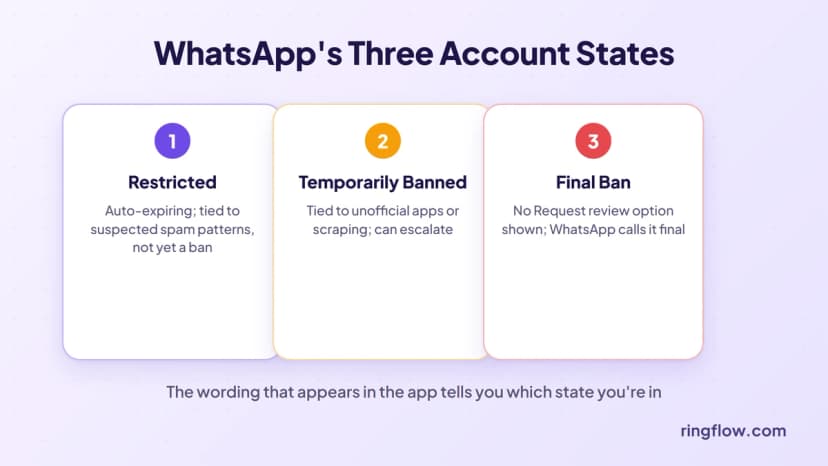
WhatsApp documents three distinct states, and the wording that appears in the app tells you which one you're in:
| What you see | What it means |
|---|---|
| Restricted | A lighter, auto-expiring state tied to suspected spam or bulk-messaging patterns. No ban yet, but continuing the behavior can lead to one. |
| "Temporarily banned" | Tied to using an unofficial app or scraping data. WhatsApp's guidance: switch to the official app and stop the behavior, or risk a permanent ban. |
| "This phone number can't use WhatsApp: [number]" | A ban. If a "Request review" option appears, it can be appealed. If it doesn't, WhatsApp states the ban is final. |
How to Request the Official Review
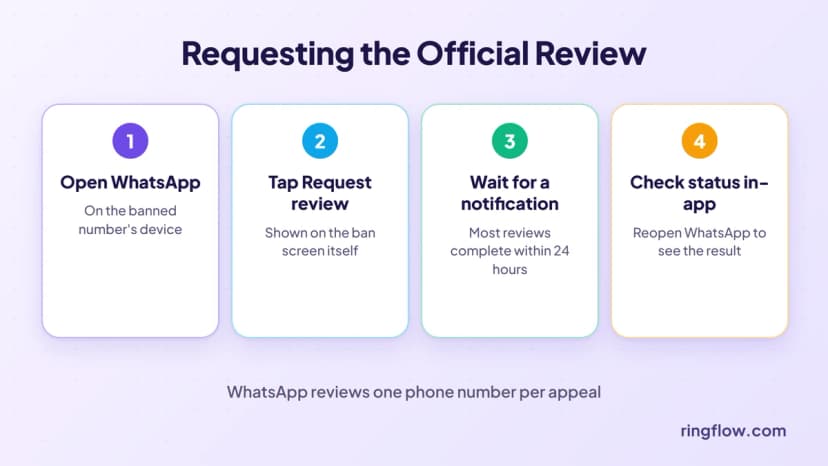
WhatsApp's Help Center describes one process, worded almost identically for personal and Business accounts: tap Request review in the app, and WhatsApp sends a notification once a decision is made. WhatsApp states plainly that "most reviews are completed within 24 hours," and that it reviews "one phone number per appeal."
- 1Open WhatsApp on the banned number's device. The ban screen itself shows the review option, when one is available.
- 2Tap Request review. WhatsApp doesn't publish a list of information you need to submit beyond this.
- 3Wait for a WhatsApp notification. Most reviews are completed within 24 hours, per WhatsApp's own Help Center.
- 4Check status in the app. WhatsApp says you can check the status of your request by opening WhatsApp again.
If a business uses the WhatsApp Business Platform (the API, not the regular app), WhatsApp points to a separate Meta Developer process for that specific case, distinct from the steps above.
What Not to Do
WhatsApp's own guidance is direct about this: "Please keep in mind that contacting WhatsApp outside the review process or through another user's account, won't expedite the review process or impact the decision," and "third party services can't ban your WhatsApp account or remove your account ban. Only WhatsApp can ban or unban a WhatsApp account."
That rules out a lot of what circulates online: paid "unban services," third-party apps that claim to lift a ban, or contacting WhatsApp through unofficial channels. None of that is part of WhatsApp's documented process, and WhatsApp says outright that it doesn't help.
Ringflow gives your team a dedicated number built for real call and message volume, without risking a personal WhatsApp account. Start a free trial and see how it fits your team.
Why Unofficial Apps Cause This
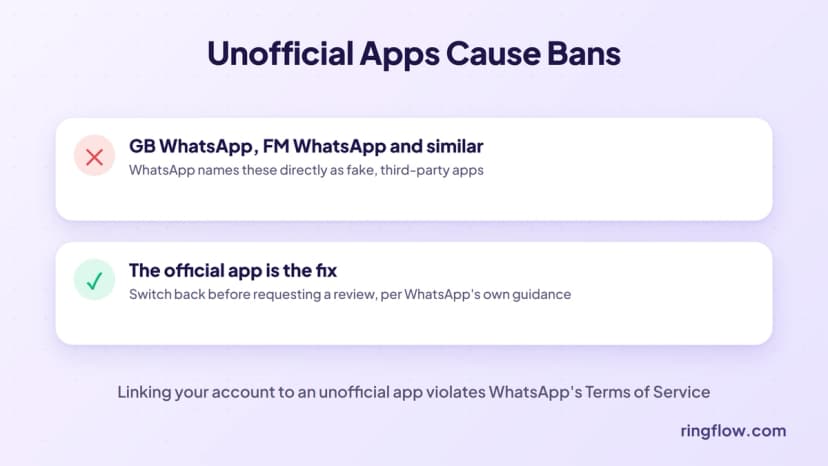
WhatsApp names this directly: "Unofficial apps or websites are fake WhatsApp apps, developed by third-parties," naming examples like GB WhatsApp, FM WhatsApp and others, and states that "using these apps or linking your WhatsApp account to unofficial versions of WhatsApp violates our Terms of Service" and can lead to a temporary or permanent ban. If your number was banned and you've used one of these, switching to the official WhatsApp app is the fix WhatsApp itself recommends before requesting a review.
After Your Number Is Unbanned
WhatsApp confirms that a backup tied to a banned number only becomes accessible again once that number is unbanned. Beyond the official review, WhatsApp doesn't publish guidance on whether re-registering a previously banned number outside that process works, so don't rely on that as a workaround. If the ban shows as final with no review option, WhatsApp's own documentation doesn't offer a path back for that number.
Conclusion
There's exactly one official way to unban a WhatsApp number: the in-app Request review button, which WhatsApp says resolves most cases within 24 hours. Everything outside that process, no matter how confidently it's advertised, isn't something WhatsApp itself recognizes.
For a business sending real volume, a personal WhatsApp number is a fragile foundation to build on. Ringflow's cloud phone system gives your team a dedicated number for calls and texts on mobile and desktop apps, built for that volume from the start.
Ready when you are
Need a Business Number That Won't Get You Banned?
Ringflow gives your team a dedicated business number built for real messaging volume, on mobile and desktop apps. Start a free trial and test it on your own calls and texts.
FAQ
Open WhatsApp on the banned number's device and tap Request review if the option appears. WhatsApp says most reviews are completed within 24 hours, and it's the only official way to appeal a ban.
It's WhatsApp's current official ban message. If a Request review option appears below it, the ban can be appealed. If it doesn't, WhatsApp states the ban is final.
Restricted is a lighter, auto-expiring state tied to suspected spam patterns, with no ban yet. "Temporarily banned" is tied specifically to using an unofficial app or scraping, and can turn permanent if it continues.
No legitimate service can. WhatsApp states directly that third-party services can't ban or unban a WhatsApp account, and that only WhatsApp can.
WhatsApp states bans follow Terms of Service violations such as spam, scams, bulk or automated messaging, or using an unofficial app like GB WhatsApp. If none of those seem to apply, the in-app review is still the only way to ask WhatsApp to reconsider.
WhatsApp's own Help Center states most reviews are completed within 24 hours.
WhatsApp doesn't publish guidance on this specifically. Its documented path back to a banned number is the in-app review, not re-registration.
Yes. WhatsApp explicitly states that using unofficial apps such as GB WhatsApp or FM WhatsApp violates its Terms of Service and can lead to a temporary or permanent ban.