
Introduction
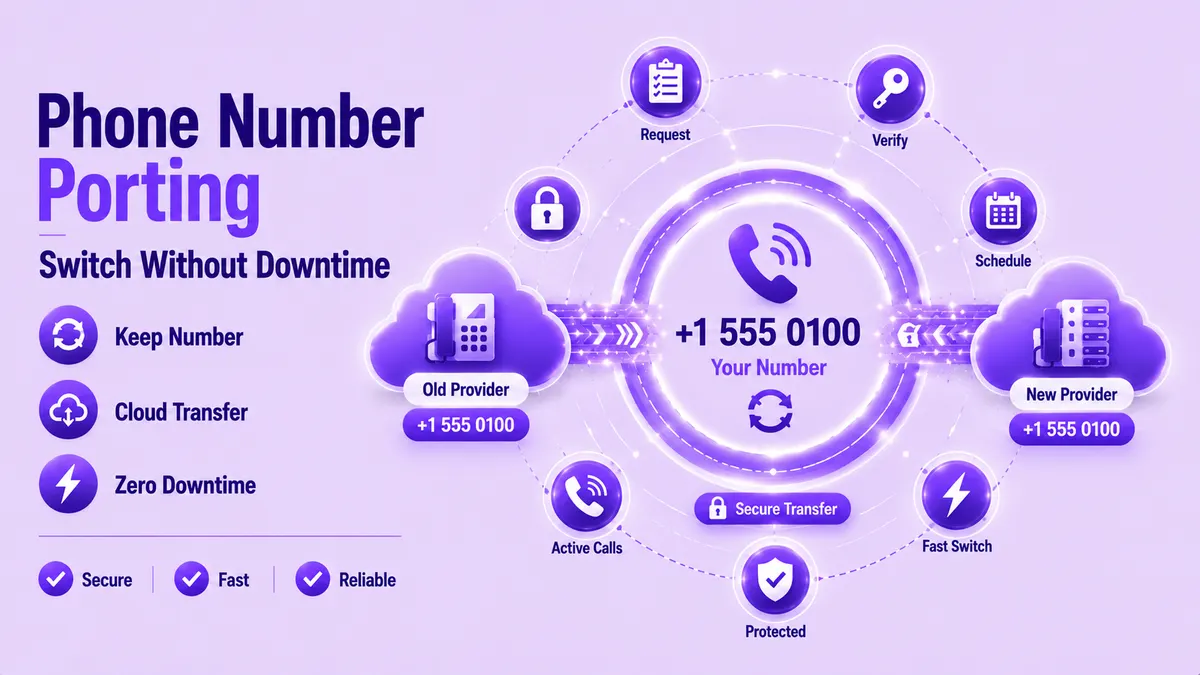
Phone number porting lets you move your business number to a new carrier without changing what customers dial. A rejected request or an unplanned outage can cost you real calls and real revenue while the paperwork gets sorted out. This guide walks through the full porting process, the paperwork that trips people up, and the exact steps to avoid downtime along the way. Skip the wrong step and you could be offline for days; get it right and your customers never notice a thing.
- Phone number porting moves your existing number to a new carrier while keeping the number itself unchanged.
- Most rejected requests trace back to one thing: account details on the LOA not matching your current carrier's records exactly.
- Keeping your old service active until the port completes is the single biggest factor in avoiding downtime.
- Local numbers typically port in days, while toll-free and multi-line business accounts often take longer.
What Is Phone Number Porting?
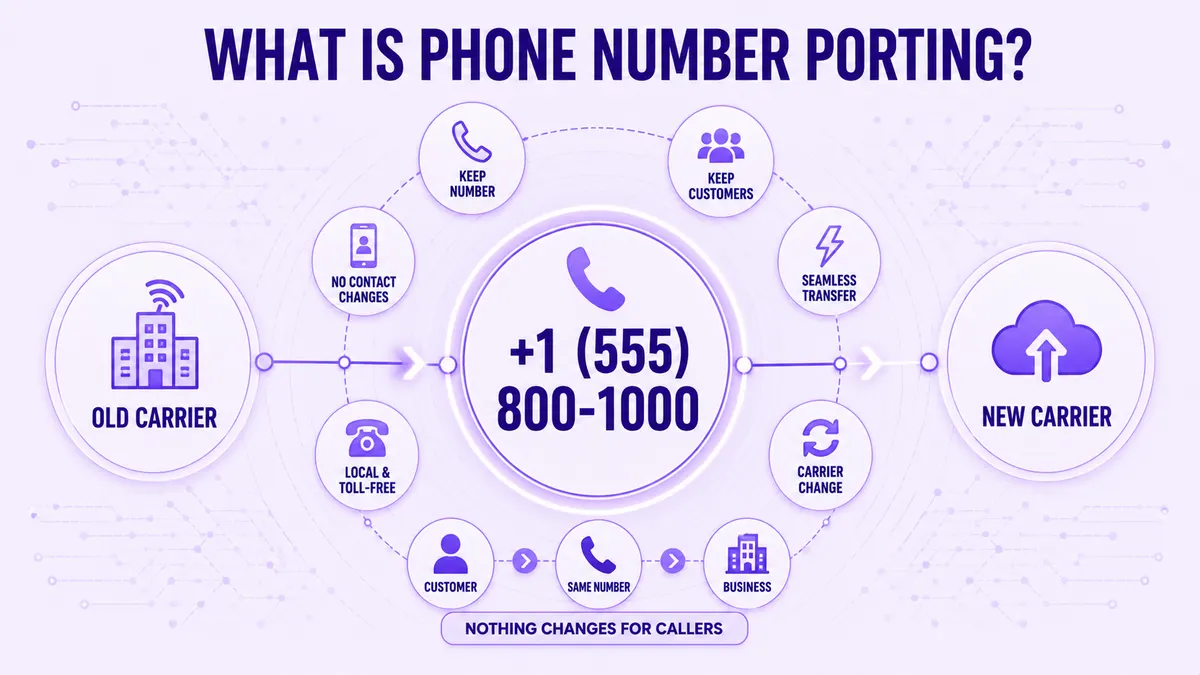
Phone number porting is the process of transferring your phone number from one carrier to another while keeping the number itself exactly the same. Callers keep dialing the number they've always known, even though the service behind it now runs through a new provider. This applies to local numbers, toll-free numbers, and full multi-line business accounts alike. The underlying carrier changes, but nothing about the number itself does, and no customer ever needs to learn a new one, update a saved contact, or wonder why a familiar business suddenly shows an unfamiliar number.
How the Number Porting Process Works
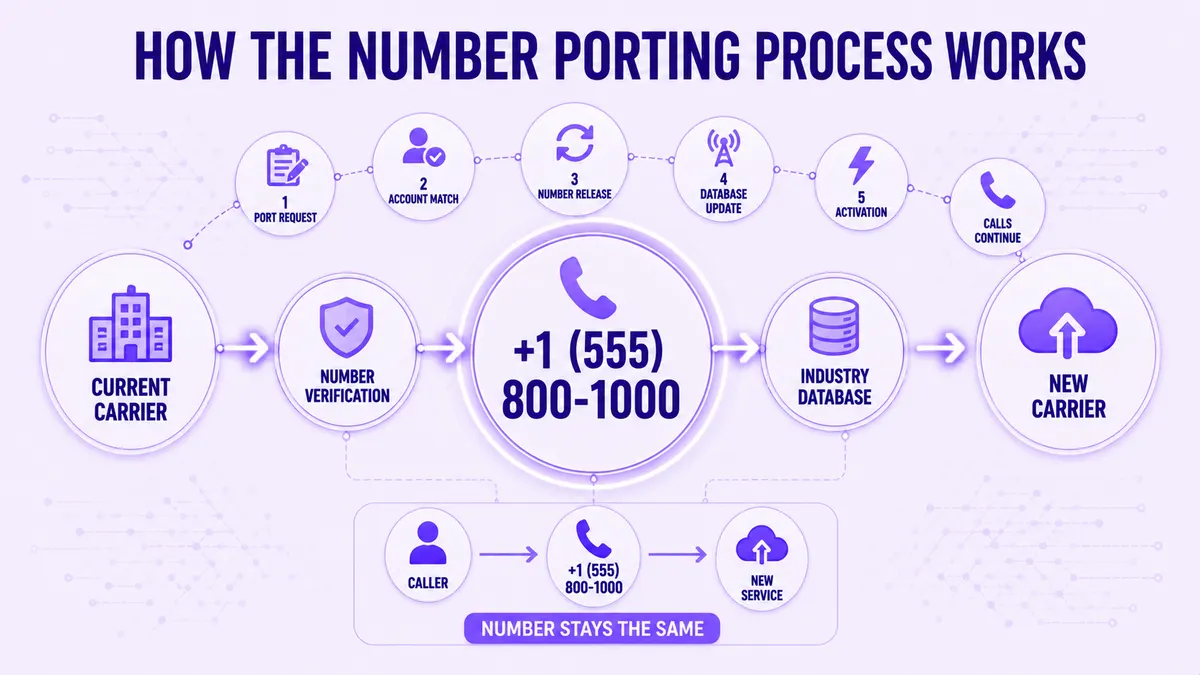
The number porting process starts when your new carrier submits a formal request to your current one on your behalf. Your current carrier confirms the account details match, then releases the number on an agreed date, usually overnight. A VoIP phone service provider typically handles most of this paperwork for you once you sign the authorization, so you aren't filing anything directly with your old carrier. The switch itself usually happens in a short maintenance window, so calls redirect with only a brief gap rather than a full outage, and most callers never notice anything changed at all.
Behind the scenes, your number moves through a shared industry database that tracks which carrier owns which number at any given moment. Phone number porting only becomes official once that database reflects the new carrier, which is why a port can show as "in progress" for a day or two even after your paperwork is approved. Ask your new provider for the exact scheduled date rather than guessing from the submission date alone.
Before You Start: What You'll Need
Gather these details before you request a port, since missing even one item is the most common reason requests stall for days.
- Your current carrier's exact legal business name
- The account number and billing ZIP code on file
- A recent bill or account statement, dated within 30 days
- The name of the authorized account holder
- The phone number itself, exactly as it appears on your bill
Double-check every entry against your latest bill before submitting anything. A single mismatched digit or an old business address can delay an otherwise simple phone number porting request by more than a week. Providers like Ringflow can confirm number eligibility for you up front, before you spend time gathering the rest of the paperwork.
If your business recently moved or changed its legal name, update those records with your current carrier first, since a mismatch there is one of the fastest ways to trigger a rejection later. Evaluating a new business phone system at the same time as your port is common, so confirm the provider you pick actually supports the number type you're moving before you sign anything.
What Is an LOA and How to Fill One Out Correctly
An LOA, or Letter of Authorization, is the signed document that gives your new carrier permission to request your number on your behalf. LOA porting requires a few specific fields: the number being moved, your current carrier's name, your business name, and a signature dated within the last 15 days. Most providers accept an electronic signature now, so this rarely means printing or mailing anything. Keep a copy of the signed form for your own records, since a carrier occasionally asks for it again if a request stalls partway through review.
Common LOA Mistakes That Cause Port Rejections
Small errors here account for most delays in the entire phone number porting timeline, and every one of them is avoidable with a careful read before you hit submit.
- Business name on the LOA doesn't match your current carrier's records exactly, including punctuation
- Signature dated more than 15 days before submission
- Billing address doesn't match what's on file with your current provider
- Account number transposed or copied from the wrong bill
- Authorized signer isn't the name listed on the account
Fixing any one of these before submission saves a rejected request and a second, slower round of paperwork. A rejected phone number porting request doesn't fail permanently, but it does restart the clock, so the same errors caught early can be the difference between a three-day switch and a three-week one.
How to Port a Business Phone Number, Step by Step
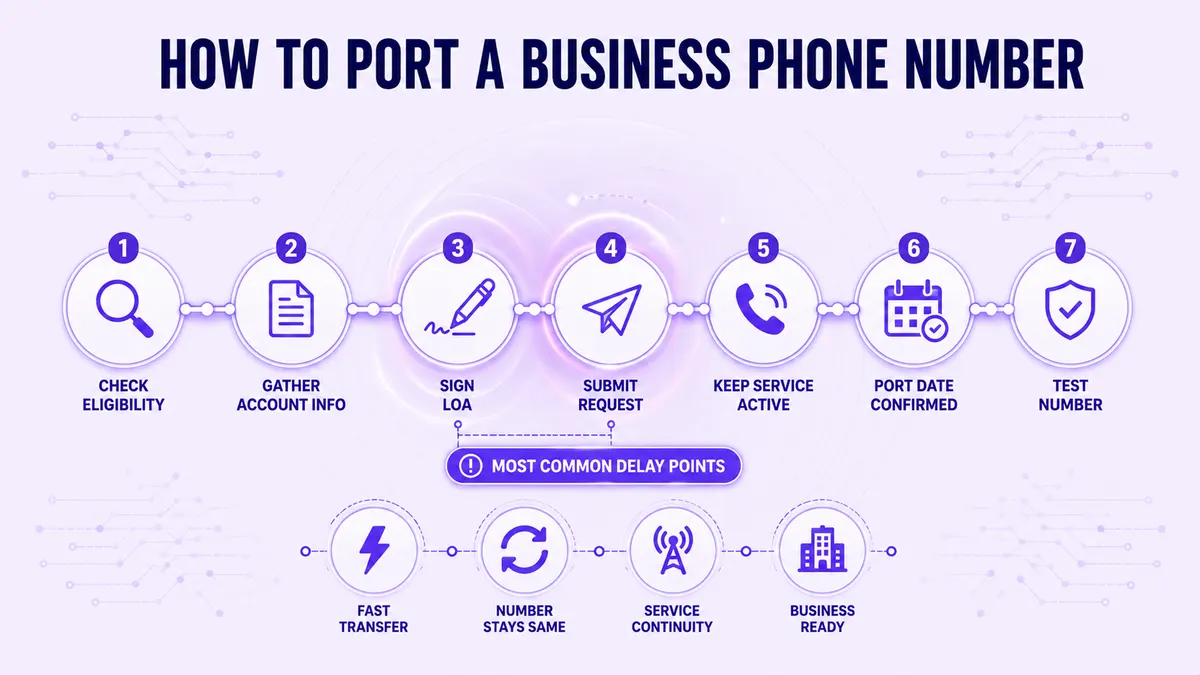
Once your LOA is ready, the rest of the process moves fast if every detail lines up correctly the first time.
- 1Confirm your number is eligible for porting with your new provider.
- 2Gather your account information and a recent bill.
- 3Sign the LOA, either electronically or with a wet signature.
- 4Submit the completed request through your new carrier.
- 5Keep your current service active and unchanged.
- 6Watch for a confirmation email with your scheduled port date.
- 7Test the number by calling it from another phone once the port completes.
Most businesses that want to port phone number requests without a hitch follow this exact sequence, in order, without skipping the eligibility check at the start. Steps three and four are where most delays creep in, since a signature dated too far in advance or a request submitted before every field is confirmed sends the whole phone number porting timeline back to square one. Slow down on those two steps specifically, even if the rest of the checklist feels routine.
How to Avoid Downtime During the Switch
Downtime almost always comes from canceling old service too early, not from the port itself. Keep your current line fully active until your new carrier confirms the port is complete, even if that means paying for both services briefly. Ringflow's number porting support keeps your old routing live in parallel during the handoff, so calls never hit a dead line while the request finishes processing. Schedule the cutover for a low-call-volume window, like a weekend night, so a brief technical hiccup affects as few callers as possible.
Test both directions immediately after the port finishes: place an inbound call from an outside line and an outbound call from your new system. If either fails, your current line is still your safety net, since you haven't canceled it yet, and you can troubleshoot without customers noticing a thing. Loop in whoever answers your main line that day, too, so they know to expect a short window where call quality might dip while routing settles.
How Long Does Phone Number Porting Take?
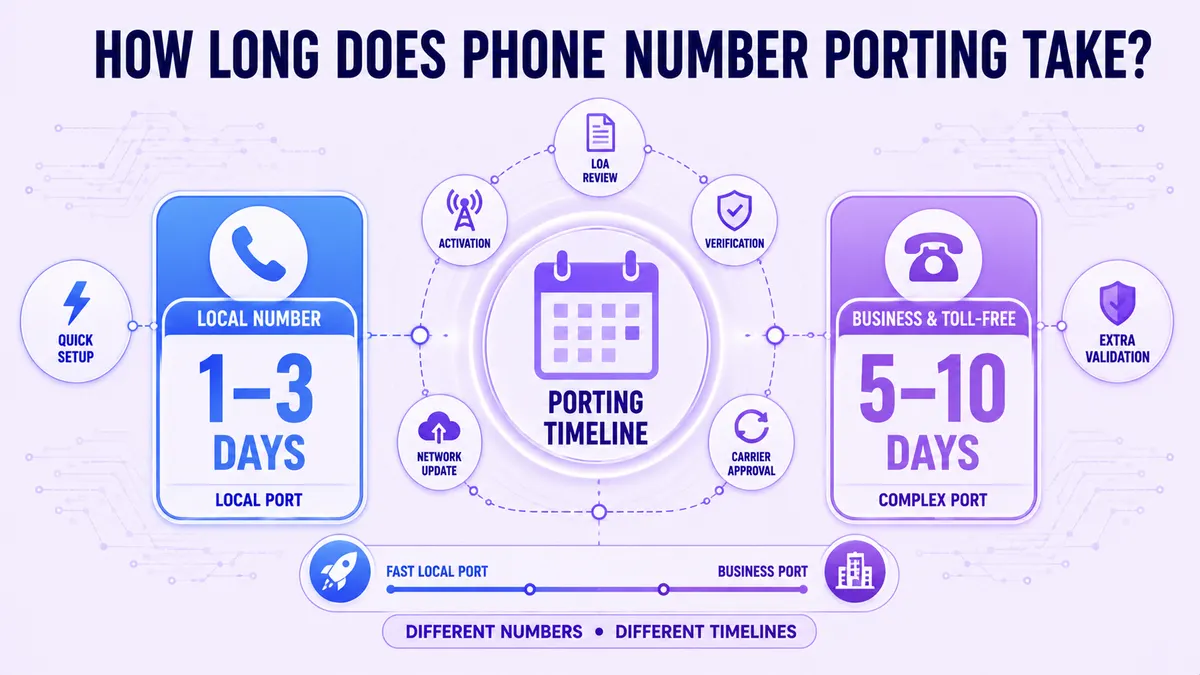
Phone number porting timelines depend heavily on what kind of number you're moving. Simple local number ports often complete within one to three business days once a clean LOA is submitted with no errors. Toll-free numbers and multi-line business accounts commonly take five to ten business days, since more carriers and internal systems need to confirm the change before it's approved. Under FCC rules, simple wireline transfers must complete within one business day, though real-world business ports frequently run longer due to account verification and carrier back-and-forth.
Build in a buffer week for anything beyond a single local line, and never schedule a port during a week your business genuinely can't tolerate any delay. Ask your new provider for their average completion time on your specific number type, since published timelines are often best-case rather than typical.
Conclusion
Phone number porting doesn't have to mean risking your business line. A clean LOA, a confirmed eligibility check, and a service overlap plan cover almost every failure point competitors run into. Knowing the real porting process, not just a simplified version of it, is what separates a smooth switch from a stressful one. Follow the steps above in order and you'll move your number without losing a single caller along the way.
Your next move is simple. Pull your latest bill, confirm every detail matches, and start your LOA today. Ringflow supports LOA porting for local, toll-free, and multi-line accounts without forcing a hard cutover on your team. Start your phone number porting request this week, and keep every call connected the whole way through.
Ready when you are
Ready to Move Your Business Number Without Missing a Call?
Ringflow keeps your old line active during the entire port, so nothing drops while you switch.
Frequently Asked Questions
Phone number porting is the process of moving your existing phone number to a new carrier while keeping the number unchanged. Callers keep dialing the same number throughout the switch.
You submit the request through your new carrier, not your old one. They handle contacting your current provider using the signed LOA you provide.
Start as soon as you've chosen a new provider, ideally two to three weeks before you need the switch complete. This gives enough buffer for LOA corrections if your first submission gets rejected.
Keep your existing service active until your new carrier confirms the port is finished, and schedule the cutover during low call volume. Test both inbound and outbound calls immediately after the switch.
Yes, porting is a standard, regulated process, and your number is never at risk of being lost during a properly submitted request. The main risk is delay, not data loss or security exposure.
Yes, the porting process itself doesn't change by time zone, though your cutover window should still match your slowest call period locally. Most businesses schedule the switch late at night in their own time zone.
Many carriers port numbers for free as part of signing up for new service, though some charge a small one-time fee per number. Toll-free and multi-line ports sometimes cost more due to added verification steps.
LOA porting refers specifically to the signed authorization step required for business and toll-free numbers, while simpler personal transfers sometimes skip formal paperwork. Business accounts almost always require a complete, accurate LOA before any transfer can proceed.