
Introduction
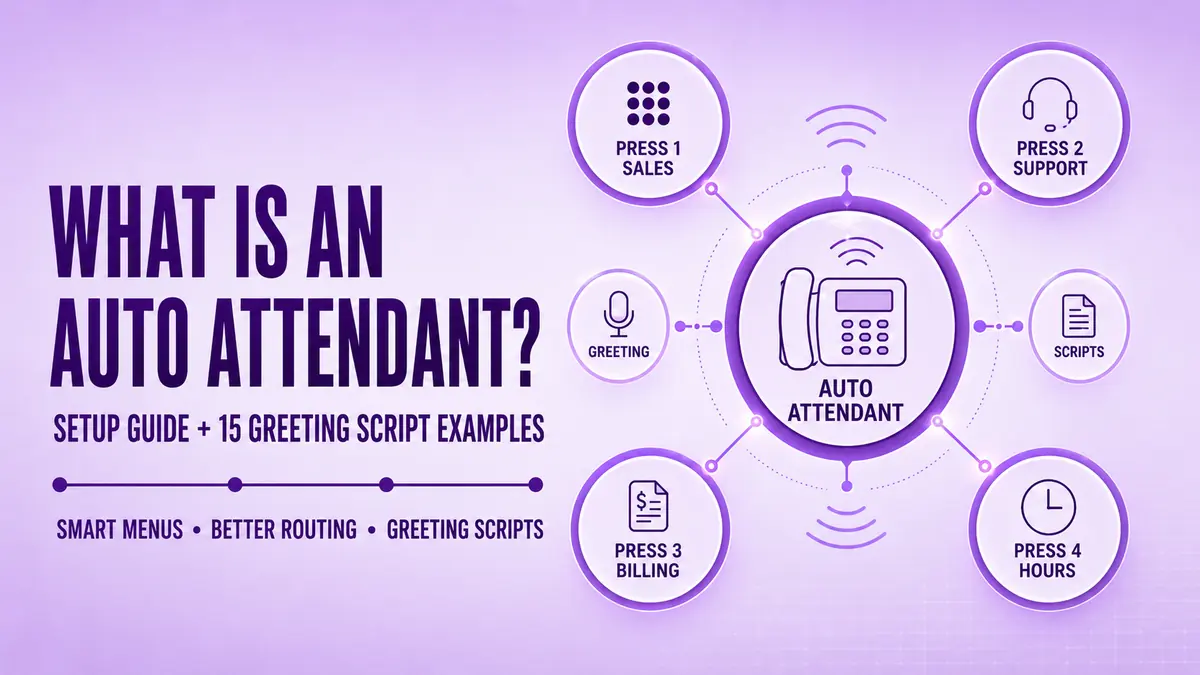
An auto attendant is the automated voice menu that answers your business calls and sends each caller to the right person or team. Instead of a receptionist saying hello, callers hear a short greeting and a few options, then press a key or speak a choice. Done well, it shortens waits, catches calls after hours, and makes a small team sound organized.
This guide from Ringflow explains what an auto attendant is, how a call moves through one, and how it differs from an IVR or a receptionist. You will also get a setup walkthrough, 15 greeting scripts you can copy, and the mistakes that make callers hang up. Use it to plan your menu on paper first, before you build anything in a phone dashboard.
What Is an Auto Attendant and What Does It Do?
An auto attendant answers incoming calls with a recorded greeting and a menu, then routes each call based on what the caller selects. It replaces a live person for the first few seconds of every call. Callers hear something like press 1 for sales or press 2 for support, and the system forwards them to an extension, a team, or voicemail.
Clinics, law firms, shops, and service companies all use the same basic setup, with menu options that match how their customers actually call. If you want software that holds a real conversation instead, our AI receptionist guide explains how that differs from a fixed menu. Most modern auto attendants run in the cloud, so there is no hardware to maintain, and the menu rarely needs changes.
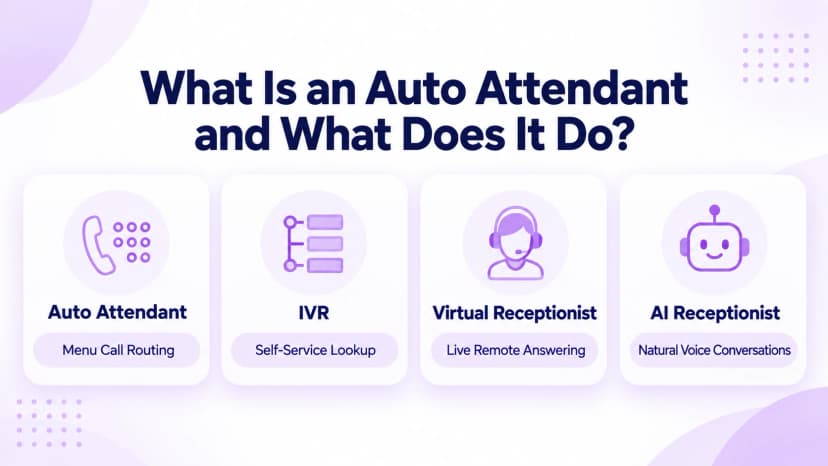
- Auto attendant: a fixed menu that routes calls to people, teams, or voicemail based on a keypad or voice choice.
- IVR: a deeper system that can look up data, so callers check an order or pay a bill without speaking to anyone.
- Virtual receptionist: a real person, often working remotely, who answers calls that a menu cannot resolve, and Ringflow supports both on one platform.
- AI receptionist: software that holds a natural conversation instead of reading out numbered options.
- Voicemail: a message box with no routing, which suits a one-person business that can return calls later.
- Ring group: several phones ringing together, which often sits behind a menu option rather than replacing the menu.
How Does an Auto Attendant Work?
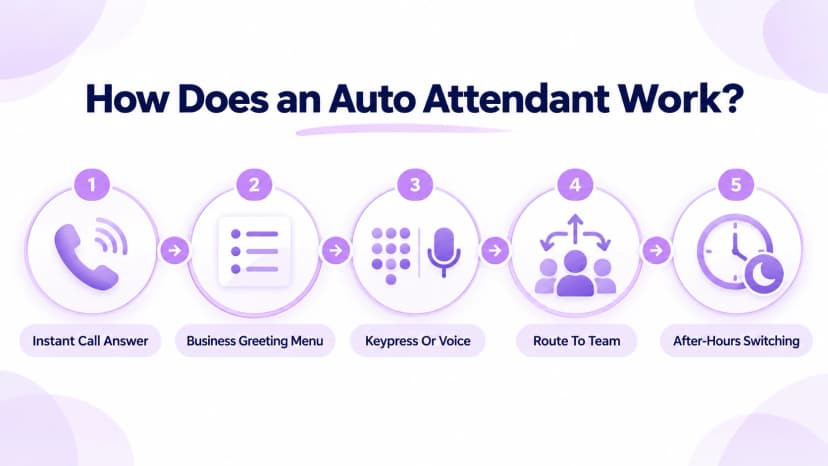
When a call arrives, the system answers before any person does. It plays a greeting, then a menu tied to keypad numbers or spoken words. Based on the caller's choice, it forwards the call to an extension, a department, a queue, or voicemail. Business hours rules can switch the whole menu automatically, so evenings and holidays get their own greeting.
Menus can be nested, so pressing 2 might open a second menu just for support. When every extension is busy, a queue holds callers with music or a status update instead of dropping them to voicemail. Queues can also report how long callers waited, which helps managers adjust staffing. For account lookups and payments, our interactive voice response guide explains how deeper automation works.
- Answer: the system picks up instantly, so no caller hears a phone ring out with nobody there to answer it.
- Greet: a short recorded or text-to-speech message names the business and offers the first option.
- Listen: the system accepts a keypad press or, on some plans, a spoken choice from the caller.
- Route: it forwards the call to the matching extension, ring group, queue, or voicemail box.
- Switch: schedules move calls to the after-hours or holiday menu without anyone changing a setting.
- Fall back: if nobody picks up, the call drops to voicemail or a backup number you chose in advance.
- Report: call counts per option show which choices callers use most, so you can reorder or trim the menu.
How to Set Up an Auto Attendant Step by Step
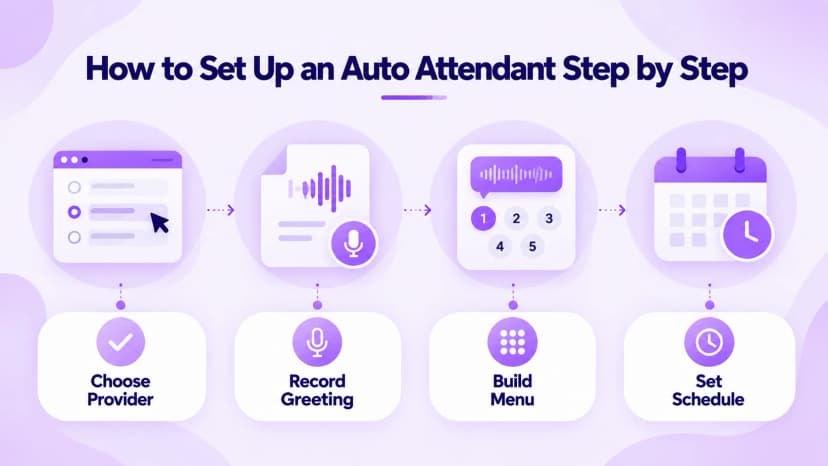
Setup starts on paper, not in software. List the reasons people call, group them into three to five options, and decide who answers each one. A menu that mirrors real call reasons feels natural, while one built around your org chart confuses callers who do not know your departments. Write the greeting last, once the routing is clear.
Most cloud providers, including Ringflow, let you build the menu from a dashboard in about twenty minutes, with no technician visit. A text-to-speech greeting works for a quick launch, though a short professional recording sounds warmer. Either one can be swapped later without rebuilding the menu, so the first version does not have to be perfect. Note who owns each option, so changes never depend on one person's memory.
- Choose: pick a provider that supports menu routing on your existing or new business number.
- Record: upload a greeting or use text-to-speech, preview it in Ringflow before launch, and keep it under twenty seconds.
- Build: assign each menu option to an extension, team, queue, or voicemail box.
- Schedule: set business hours, after-hours, and holiday routing before you publish the number.
- Test: call from a different phone than the one used to record, and try every option once.
- Review: update the menu whenever a team, number, or department changes.
- Document: write down who owns each option and how to change it, so a staff change never breaks the routing.
15 Auto Attendant Script Examples for Every Business
Keep every greeting short. Callers should hear the first option within fifteen to twenty seconds, because most people decide quickly whether to listen or hang up. Say the business name first, give three to five options, and always offer a way to reach a person. The examples below follow that pattern and work well as templates. Short menus are also easier to remember on a repeat call.
Swap in your business name and adjust the tone to match your brand. If a script mentions recording, check local rules first, since the FCC call recording guide notes that some state laws prohibit recording calls. Remove any option that does not apply to how your team actually works, and read each line aloud before recording, since stiff wording stands out on a phone.
- General: Thanks for calling [Business]. Press 1 for sales, 2 for support, or 3 for billing.
- Bilingual: You've reached [Business]. For English, press 1. Para español, oprima el 2.
- Operator: Welcome to [Business]. Press 0 at any time to reach the operator.
- Branded: Thank you for calling [Business], where [value statement]. Press 1 to continue.
- Customer care: You've reached [Business] customer care. Press 1 for existing customers, 2 for new inquiries.
- Closed: Thanks for calling [Business]. Our office is closed right now. Leave a message and we will call you back.
- Urgent: You've reached us after hours. For urgent matters, press 1 to reach on-call staff.
- Hours: Our hours are nine to five. Please call back then.
- Recorded line: Thanks for calling [Business]. This call may be recorded for quality purposes. Press 1 to continue.
- Clinic: Thanks for calling [Clinic]. Press 1 to schedule, 2 for billing, or 3 for the pharmacy.
- Law firm: You've reached [Law Firm]. Press 1 for new clients, or 2 for updates on an existing case.
- Real estate: Welcome to [Real Estate Office]. Press 1 for listings, or 2 to reach your agent directly.
- Restaurant: Thanks for calling [Restaurant]. Press 1 for reservations, or 2 for catering inquiries.
- Auto shop: You've reached [Auto Shop]. Press 1 for service scheduling, or 2 for parts questions.
Common Auto Attendant Mistakes to Avoid
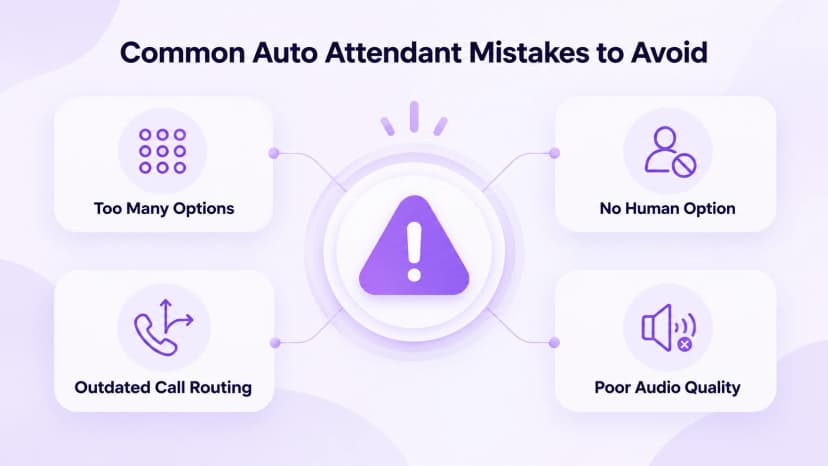
A handful of mistakes cause most of the frustration callers report with automated menus, and nearly all are easy to fix. The biggest is length: when the menu reads out too many options, callers forget the first ones before the list ends. Short menus with plain labels such as sales, support, and billing get better results than clever wording.
The second trap is a dead end. If a caller cannot reach a person, or an option sends them to the wrong team, they hang up and may not call back. Test every path regularly, and listen to the audio on a real phone, not just in the dashboard, because rushed or muffled recordings are easier to spot that way. Fixing these early costs far less than losing customers later.
- Too many options: keep the main menu to five choices or fewer, with extra layers only where they are needed.
- No human option: always offer a key, such as 0, that reaches a person or a message box.
- Outdated routing: review the menu whenever staff, departments, or numbers change.
- Poor audio: re-record any greeting that sounds rushed, muffled, or hard to follow.
- Long greetings: cut slogans and promotions that delay the first option.
- Unclear labels: use plain words like sales and support instead of internal department names callers do not know.
- No after-hours plan: give callers a clear message and a way to leave details when you are closed.
Conclusion
An auto attendant handles the first seconds of every call, routing people without a live receptionist. Keep the menu short, keep the greeting clear, and always give callers a way to reach a person. Used well, it makes a small team look larger and keeps after-hours calls from disappearing into silence. Callers judge your business in those first seconds, so the greeting deserves care.
Plan your menu on paper this week, then build it and test it with a real call before you publish the number. Ringflow offers a free trial, so you can build a menu, preview the greeting, and adjust routing without a technician. Revisit the script whenever your team or hours change. A short pilot with a few colleagues will uncover confusing options before customers do.
Ready when you are
Ready to Stop Losing Callers to a Confusing Phone Menu?
See how Ringflow makes it simple to build a call menu that actually routes calls correctly.
Frequently Asked Questions
No. An auto attendant routes calls through a menu; an IVR can also look up data.
Usually yes; point an existing number at a menu or port it.
It answers calls and routes them by menu choice.
Yes, schedules switch to an after-hours menu.
Under twenty seconds.