
Introduction
Video conferencing software allows individuals to connect with each other and collaborate through screen sharing. Many teams use Video Conferencing as their primary method of sales calls, interviews, training and weekly updates. Choosing the wrong software will affect any meetings.
The challenge is identifying what features are necessary and what are just nice to have. This guide will look at what Video Conferencing platforms offer, the key features to compare, and choosing a stand-alone or integrated solution to avoid paying for unwanted features.
What Is Video Conferencing Software?
Video Conferencing software allows individuals (2+) to communicate through live audio and video over the internet. They can join via a link, app or browser. The software will manage connecting the individuals, showing their avatars and the shared content. It will also offer simple controls to manage the meeting e.g mute, kick.
Most modern solutions will allow you to save your meetings, schedule via your calendar and add post-call notes. Some will be integrated with your wider communication system. An example would be Ringflow Video Meetings which is part of the same cloud phone platform as your business calling. Your meetings and calling will all sit in the same platform.
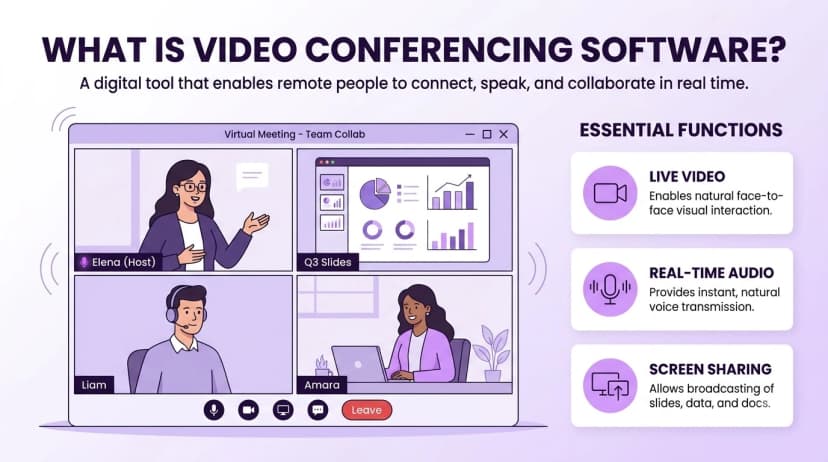
When using Video Conferencing, your meetings will follow a simple process. You schedule a meeting in your calendar, the platform will create a link, you send it to your guests. They will click the link and join using whatever device they have. The host will manage who can talk and what is shown. A good platform will provide you with a recording, transcript and summary of the meeting so those not involved can quickly catch up.
Teams will usually want to implement a specific solution to overcome the following issues:
- Disjointed: Using multiple apps with different links and rules.
- Guest Frustration: Customers and candidates don't want to download.
- Lack of Decisions: Nobody is noting down decisions and who is responsible.
- Poor Controls: Admins can't control who can record, share and invite.
- No Follow Up: No notes or recordings are added to the customer.
Core Video Meeting Features to Compare
There will be many features to consider, however most will be similar across vendors. These are the features that will make your experience seamless or frustrating.
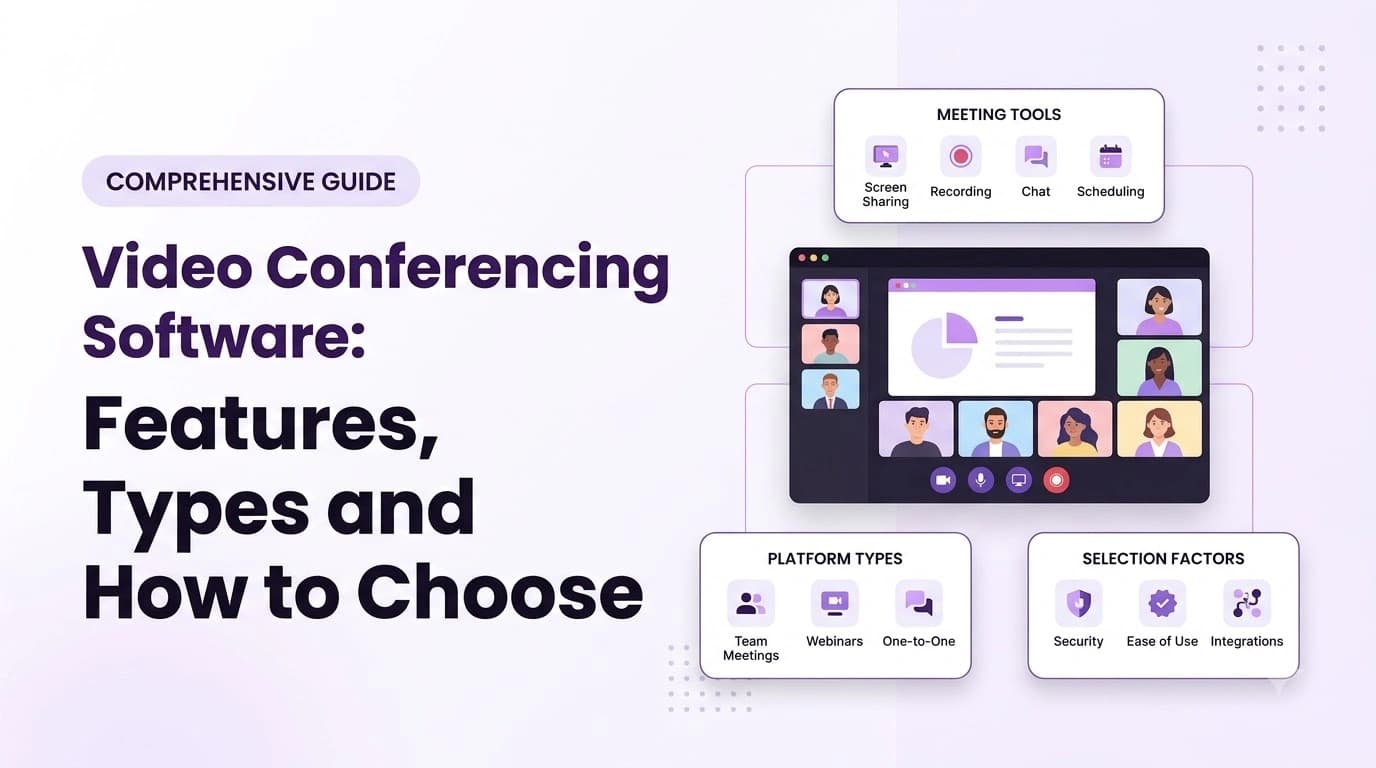
- Maximum Attendees: How many people can attend a meeting. Can you split into break out rooms?
- Browser Join: Can guests join via the browser.
- Screen Sharing: Can you easily share a window or full screen with no lag.
- Recording: Can you save to the cloud? How long will they be saved for? Who can view?
- Transcription & Summary: Live transcription, action items and a summary email sent at the end.
- Calendar Integration: One click to join a meeting via Google Calendar, Outlook or iCal.
- Phone Dial In: Can users dial in if they have poor internet.
- Multi-Platform: Web, desktop and mobile apps. All will work in the same way.
- Timing: Are there time limits?
- CRM & Tool Integration: Can you add notes and follow up to your existing systems.
Don't get caught up with the number of features. Shortlist a few platforms and run a quick meeting to see which offers an easy experience for those who have never used it.
It is also useful to note who will be using the features. Hosts will care about scheduling, controls and recording. Guests will care about ease of joining and clear audio. Admins will care about security settings, reporting and cost. Choosing a solution that works for everyone will mean it will be adopted quicker.
Audio quality is often overlooked. Whilst a slightly blurry image can be forgiven, bad audio will cause frustration. Try joining a meeting on your laptop, phone and conference room during any trials to ensure the audio is clear.
Types of Video Conferencing Solutions
Video Conferencing usually comes in two variations. A stand-alone app that will just offer meetings. Or an integrated solution that will be part of a wider platform offering calling, messaging and customer records. It really depends on how much of your workflow is in one system.
| Option | Best For | Pros | Cons |
|---|---|---|---|
| Stand-alone App | Just need meetings | Simple features. Many guests will know how to use. | Different login, contact and billing. |
| Integrated with Phone/UCaaS | Calling customers and then meeting | One login and contact list. | Less specific features. |
| Free Plan | Personal use or small informal calls | No cost | Limitations on time, attendees and admin. |
Free plans are useful for informal calls. However, most will limit the length of calls, attendees and admin. The guide to the best free video calling apps will show you what you can really do.
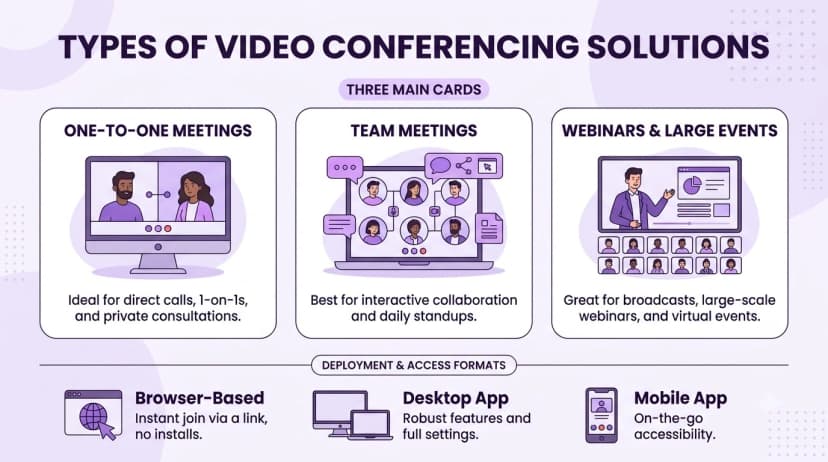
How to Choose Video Conferencing Software
Choosing the right software will start with looking at the type of meetings you have.
- 1List the types of meetings you have. Split into internal updates, customer calls, interviews and large meetings.
- 2How large is your largest meeting? How many people will you be hosting? Do you need break out rooms?
- 3How do your guests join? If you have a lot of customers and candidates joining, the browser option becomes more important.
- 4Ensure it integrates with your tools. Check if it integrates with your calendar, CRM and phone system.
- 5Can you save recordings and notes? Where are they saved? How long will they be saved for? Are summaries sent to your customer?
- 6Check for limitations. Is there a limit on how long the meetings can be? Attendees? Storage? Are there features missing on lower plans?
- 7Run a trial. Get a small group to use the platform for a couple of weeks. Ask them what caused delays.
Ringflow offer a 14 day free trial and all plans offer HD video. This means your team can try using it for meetings with your business calling. Ensure whatever vendor you go with, they offer a trial using your meetings.
Security, Privacy & Accessibility
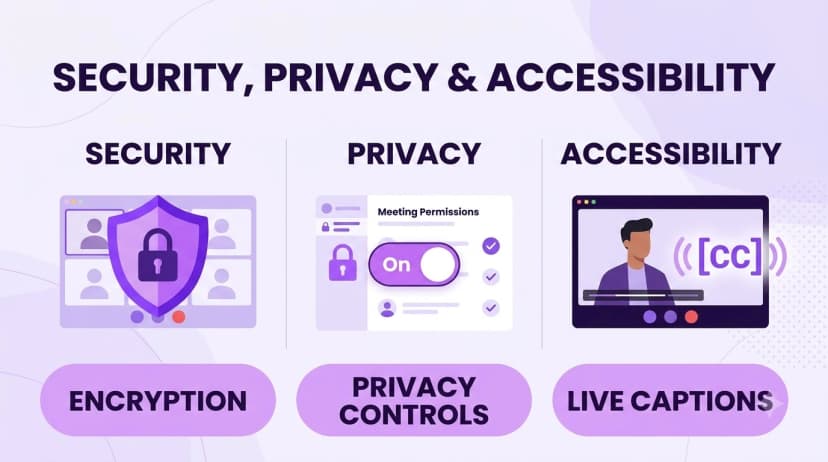
As your meetings often contain customer data, pricing and personal information, it is worth asking each vendor directly. Are your calls encrypted? Who can join? Who can record? Where are they stored? It is also important to ensure your solution is accessible. Adding captions and transcripts will help those who are Deaf or hard of hearing. Anyone in a noisy environment will benefit. The W3C explain how to make audio & video media accessible.
Ask the following questions to all vendors:
- Are your meetings encrypted? Is there end to end encryption?
- Can hosts lock the meeting? Require approval to join? Kick guests?
- Who can record? View? Delete?
- Where are your recordings and transcripts stored? How long will they be stored?
- Are captions available? On the plan you are going to purchase?
- What is the uptime guarantee? How will credits work?
Ensure you get this in writing. Don't be fooled into thinking they can as they will be confident during a sales call. The security settings won't help unless someone on your team owns them.
Conclusion
Choosing the right Video Conferencing software will make joining meetings easy and you will have a clear record of decisions. Start by considering what type of meetings you have most often. Decide if you want a stand-alone app or integrated solution. Consider the features and whether they will be used.
Try it out! Running a short trial will give you an insight into the audio quality, guest experience and follow up. Ringflow offer a free trial so you can see how it works with your business line with no risk.
Ready when you are
Ready to run meetings and calls from one platform?
Start a 14-day free trial and test HD video meetings alongside your business line.
Frequently Asked Questions
It is live audio and video between two or more people over the internet. You join from a link, an app or a browser, and the host manages who can talk and what is shown.
Start with maximum attendees, browser join, screen sharing, recording, transcripts, calendar integration and time limits. Then check which of them are missing on the plan you want.
Yes. Most free plans limit the length of calls, the number of attendees and the admin controls, so they suit informal calls best.
Many platforms let guests join from a browser. Check that the plan you are buying includes it.
It depends on the vendor. Ask about encryption, who can join and record, and where recordings are stored, and get the answers in writing before you buy.